Connect Your Etsy Shop
Link your Etsy shop so sales, listings, and fees flow into your books automatically
Included on every plan — connect in a few minutes
The Etsy integration imports your orders as sale transactions, pulls in your listings and photos, records Etsy's fees for your books, and pushes stock quantities back to Etsy when your inventory changes. It is included on every plan, including Free — your plan only sets how many shops you can connect. This guide walks through connecting a shop for the first time; for what the integration does and why, see the Etsy integration overview, and for the ongoing sync behavior see How Etsy Sync Works.
Before you start
- You need settings access. Connecting a shop requires a role that can manage settings. Account owners always have it; if you don't see Sales Channels in the sidebar or Integrations under Settings, ask your account owner.
- The Marketplace module must be enabled. If it isn't yet, the Integrations card under Settings shows a "Requires Marketplace module" badge — the card still opens, and you can enable the module from there. The module is available on every plan, including Free.
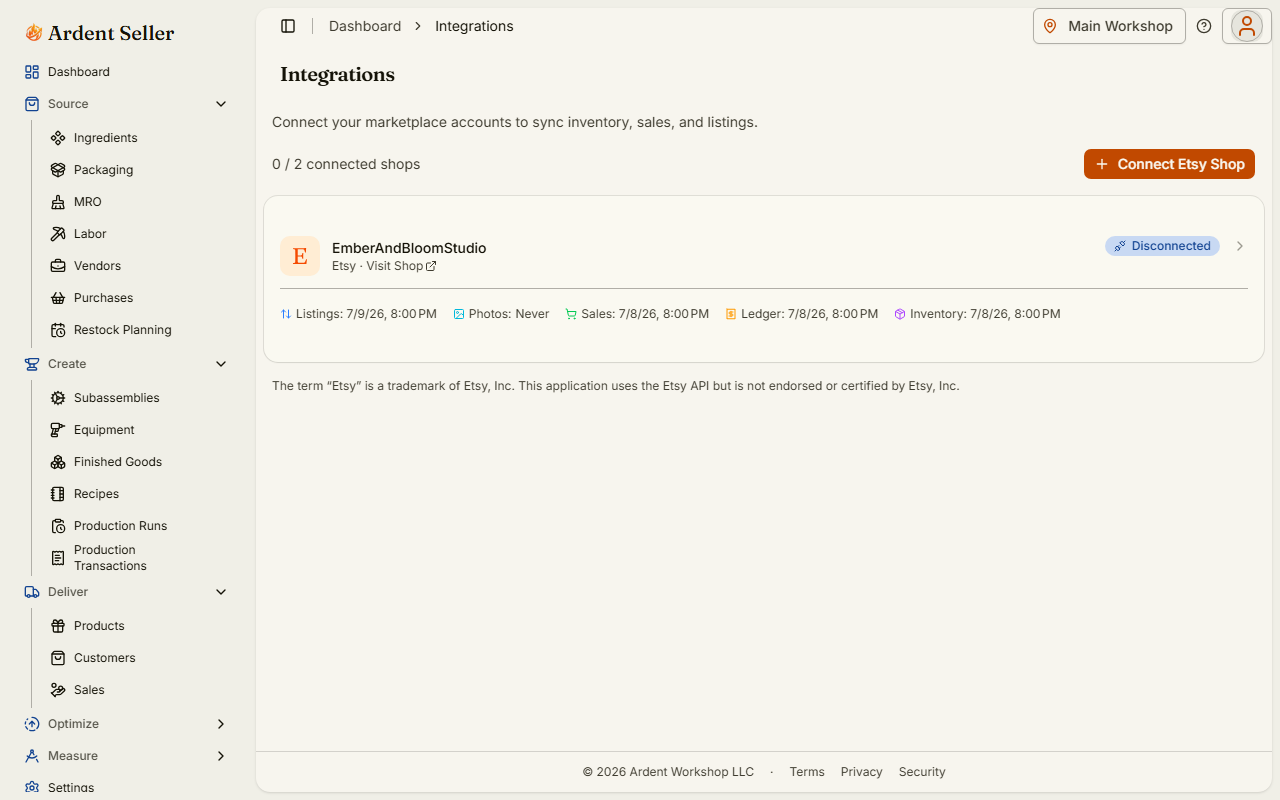
- Check your shop limit. Your plan sets how many shops you can connect at once — the Integrations page shows a counter such as "1 / 2 connected shops" (Unlimited on some plans). When you're at the limit, an "Upgrade to connect more shops" link takes you to billing.
- One Ardent Seller account per Etsy shop. An Etsy shop can only be connected to one Ardent Seller account. If a shop is already connected elsewhere, the connection is rejected with "This shop is already connected to an Ardent Seller account."
Step 1: Connect and approve on Etsy
- Click Sales Channels under Deliver in the sidebar, or go to Settings → Integrations. Both open the same page (open Integrations). If you told the setup questions you sell on Etsy, the dashboard's Getting Started checklist and a "Connect your shop" card link there too.
- Click "Connect Etsy Shop". The button shows "Connecting..." briefly, then sends you to Etsy's own sign-in and approval page.
- On Etsy, review and approve the permissions Ardent Seller requests: read your shop and profile info, read and update your listings, and read your orders and transactions (the scopes are
listings_r,listings_w,transactions_r,profile_r, andshops_r). - After you approve, Etsy sends you back to the Integrations page and the Set Up Connection wizard opens.
If you decline on Etsy, nothing is connected — you'll see "You declined the connection request" and can try again any time. If the approval link sits too long and expires, just start over from "Connect Etsy Shop".
Step 2: Complete the Set Up Connection wizard
The wizard asks for three things before syncing begins:
- Default Location (required) — the location where imported orders are recorded and where stock is counted for the push back to Etsy. If you work from one place, that's your primary location; see Locations & Entities if you have several.
- Stock updates to Etsy (required) — Manual only leaves your Etsy quantities alone unless you click Push now; Auto push sends your on-hand quantity, minus your safety buffer, to Etsy whenever it changes, overwriting what the listing shows. Nothing is preselected. You can change it later in the connection's Settings.
- Import Window — how far back to import sales history: "Last 3 days", "Last 7 days", "Last 30 days", "Last 90 days", "Last 6 months", "Last year", or "All time". The default depends on your plan, and you can backfill more history later.
- Auto-Create Products (off by default) — when on, Ardent Seller creates a product for every Etsy listing and links them for you. The wizard warns you if that could create duplicates of items you already track, and asks "Are these products food?" — choose Food or Other before you can complete setup, and every auto-created product gets that product type.
Click "Complete Setup" and the initial sync starts automatically: "Initial sync started. Listings will sync first, then photos, sales, and ledger transactions will be imported automatically." Depending on your shop size and import window, the first sync can take a little while — you can leave the page.
Link Etsy listings to inventory items
Each Etsy listing maps to one inventory item, and that link is what turns an Etsy order into a stock movement on the right product. Ardent Seller matches listings to items by SKU first. Listings without a SKU — common for digital listings — get a synthetic match key built from the listing's numeric ID, in the form ETSY-1234567890.
If you didn't use Auto-Create Products, link listings yourself on the connection's Listings tab: filter to unlinked listings, then link each one to an existing item or create a new product from the listing. You can also bulk activate, deactivate, or unlink listings there.
Creating products from listings — a row's Create Product, the Create Products banner, or Create Products in the ⋯ menu below the table when listings are ticked — first asks whether they're food. One listing asks "Is this product food?"; several say how many products will be created and ask "Are these products food?". Choose Food or Other; every product created in that batch gets the same product type. When you create from ticked listings, the dialog also says how many of them are already linked (or have syncing deactivated) and will be skipped. If you sell both food and non-food, tick just the food listings and choose Food, then select the rest and choose Other. Products created from the banner or from ticked listings go to the connection's default location; a row's Create Product puts its product at the location you're working in. After you create Food products, set their allergens before printing labels. To change a type later, open the item in the item sheet, or use Product type in the inventory list's bulk actions.
Opening stock: when a listing is linked (or a product is created from it) and the Etsy listing has quantity available, Ardent Seller records an initial transaction that seeds the item's on-hand quantity to match Etsy. That opening balance is dated at the start of your import window, so the sales history imported behind it subtracts correctly instead of double-counting. See How Stock Moves for how initial transactions work.
Disconnect, reconnect, or delete
- Disconnect Shop revokes Ardent Seller's API access to your shop and stops all syncing. Your existing data — imported transactions, listings, sync history — is preserved. You can also revoke access from your Etsy account's own app settings at any time.
- Reconnect runs the Etsy approval again for the same shop (connecting a different shop this way is blocked). Your listing links and connection settings are restored where the items still exist, and a fresh sync catches up on the last 90 days.
- Delete Connection is only available after disconnecting, and it is permanent: it removes all listing mappings, sync history, and sales records associated with the connection. Imported transactions are preserved. This action cannot be undone.
Security and privacy
The connection uses OAuth 2.0 with PKCE — the same authorization standard Etsy requires of all apps. You sign in on etsy.com, not in Ardent Seller, so your Etsy password is never shared with or stored by Ardent Seller. The access tokens Etsy issues are encrypted at rest with AES-256-GCM, and you can revoke access at any time — from the Disconnect Shop button here or from your Etsy account settings.
Once connected, syncing runs on its own — read How Etsy Sync Works for what syncs in each direction and when, and keep Etsy Sync Troubleshooting handy if something looks off.
The term 'Etsy' is a trademark of Etsy, Inc. This application uses the Etsy API but is not endorsed or certified by Etsy, Inc.
Related articles
How Etsy Sync Works
What the Etsy integration syncs and when — sales every 15 minutes, listings every 6 hours, inventory pushes on stock changes, fee tracking with Schedule C categories, manual sync controls, and daily reconciliation in Ardent Seller.
Etsy Sync Troubleshooting
Fix common Etsy sync problems in Ardent Seller — expired connections, repeated sync failures, missing or delayed sales, quantity mismatches, fair-use suspensions, and skipped syncs.
How Stock Moves
How inventory quantities change in Ardent Seller — which transaction categories add or remove stock, and why nothing moves until a transaction is Completed.