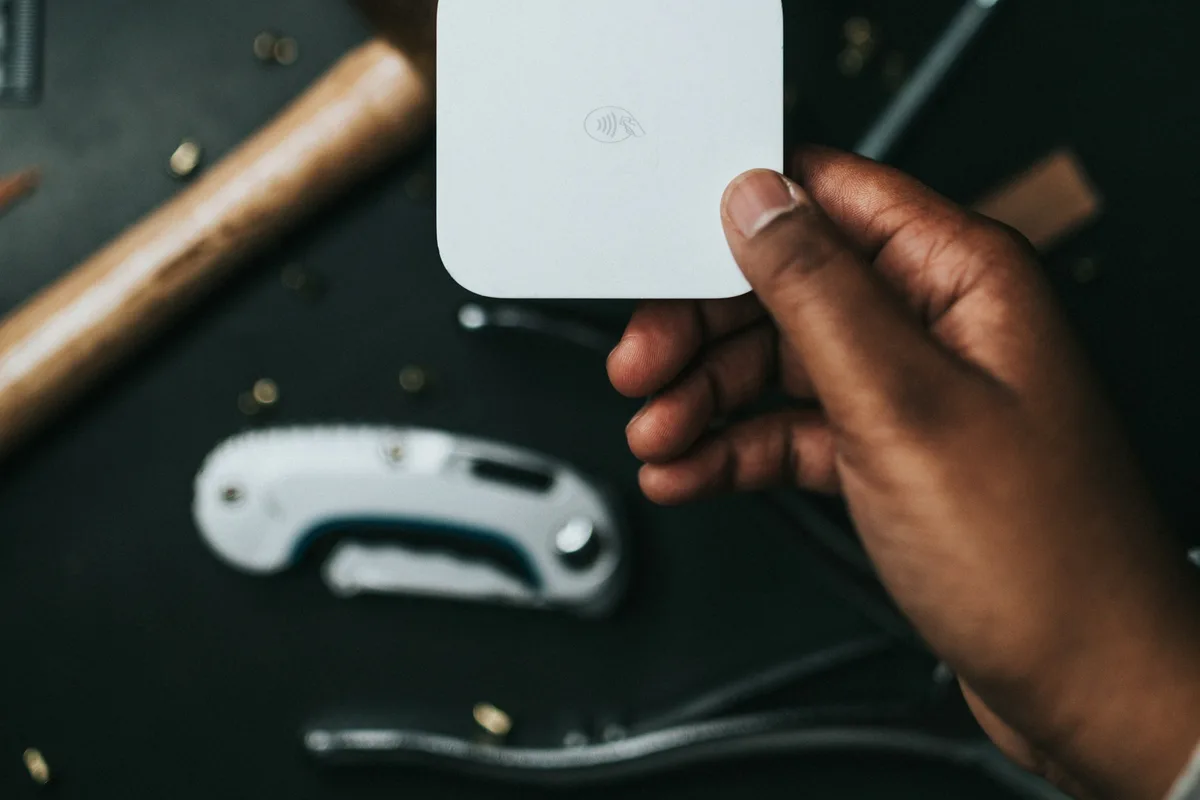
At 11:40 on a Saturday the bars on your phone go from two to none, and they stay there. The morning crowd has finally turned up. Six people are holding things. The person at the front of the line is holding a $48 lamp and a card, and there is nothing you can do with either one.
That is the failure this decision is actually about. Not the rate. Not the app's report screen. The forty-five minutes at the busiest point of the day where the reader on your table is a paperweight.
The short version: if you sell outdoors and cannot count on signal, the SumUp Solo ($129) carries its own 4G and does not depend on your phone at all. If you are starting out or keeping costs down, the Square Reader ($59) is the default — it has the clearest offline documentation of the group. Indoors on known WiFi, PayPal's $29 reader has the best rate in this roundup. Do not take PayPal's reader to an outdoor market: its standard app has no offline card payments at all. Two more cases — you already pay for Shopify, or you run several shows a month — are covered further down.
Most "best card reader" roundups rank on the advertised percentage, which is the one variable that barely moves between the major options and barely moves your year. What separates these devices at an outdoor market is whether they keep working when the network doesn't, whether they survive an eight-hour day off one charge, and how much the fixed portion of the fee costs you when your average sale is eight dollars instead of eighty.
Here are five readers judged on those terms, with every price and rate quoted from the vendor's own page.
The three things that actually fail in a field
Signal. Fairgrounds, school gyms, church basements, and the back half of any large park share a property: several hundred people arrive at once and saturate one cell tower. Coverage that tested fine at 7 a.m. during setup is a different network at noon. Some readers store approved payments locally and forward them when the connection returns. Some simply stop.
Battery. A Bluetooth reader paired to your phone drains two batteries, and the phone is also running your POS app, your hotspot, and a screen at full brightness in daylight. The reader is rarely what dies first.
The fixed fee. Every processor charges a percentage plus a flat amount per transaction. The percentage is what gets advertised. The flat amount is what decides whether a $6 sticker is worth swiping, because a fixed nine or fifteen cents does not shrink as your ticket does.
Those three, in that order. Rate is fourth.
Published rates, side by side
Here is what each option costs to buy and what each charges per in-person sale, quoted from the vendor's current US pricing page. One column needs a word of warning: offline sales run against two separate clocks — how long the reader keeps accepting new sales without a connection, and how long it then has to upload them before they expire.
| Reader | Hardware | In-person rate | Power | Card payments with no internet |
|---|---|---|---|---|
| Square Reader for contactless and chip | $59 (opens in new tab) | 2.6% + 15¢ (opens in new tab) | Own battery + your phone | Yes — 24 hrs accepting, 72 hrs to upload |
| SumUp Solo | $129 (opens in new tab) | 2.6% + 10¢ (opens in new tab) | Own battery, no phone | Own 4G + WiFi; "offline mode" claimed, not documented |
| PayPal Point of Sale Card Reader | $29 first, $79 after (opens in new tab) | 2.29% + 9¢ (opens in new tab) | Own battery + your phone | No — not in the standard app |
| Shopify Tap & Chip | $49 (opens in new tab) | 2.6% + 10¢ (opens in new tab) on Basic | Own battery + your phone | Yes — must be switched on first |
| Square Terminal | $299 (opens in new tab) | 2.6% + 15¢ (opens in new tab) | Own battery, no phone | Yes — no documented accept cutoff, 72 hrs to upload |
Now the part that reorders the list. Take a season of 300 sales averaging $25 — $7,500 through the reader. Square's rate costs $240 of that. PayPal's costs $198.75. The spread across the whole season is $41.25.
Say a dead-signal hour at a good show costs you a dozen walk-aways at that same $25 average. That is $300 — and on those illustrative numbers the fee difference would need more than seven seasons to catch up with one bad Saturday.
That is why the ranking below is ordered by reliability rather than by rate. It is not that the fee doesn't matter — it matters enormously at small tickets, and the fixed cents are why. A $8 bar of soap costs 4.5% on Square's rate, 3.9% on SumUp's, and 3.4% on PayPal's, all from the same nominal "2-point-something percent."
On the deeper fee math: this post is about which device to put on the table. If what you actually want is what a sale nets after every fee a processor charges — keyed-in penalties, refund policy, instant-transfer cuts — that teardown lives in payment processing fees for handmade sellers, which follows a market Saturday from swipe to deposit. Read that one for the money; read this one for the hardware.
Square Reader for contactless and chip ($59)
The default recommendation — not because it is the most bulletproof against dead signal, but because it wins on price, ubiquity and documentation clarity at once. SumUp's own cellular radio is harder to knock out than a phone pairing, so if pure signal resilience is the only thing you care about, skip to the Solo below. Square earns the default slot because it is cheap, it is everywhere, and it is the only vendor here that publishes exactly what its offline mode will and will not do.
Square's offline mode is the most clearly documented of the group. You set your own per-transaction ceiling anywhere from $1 to $50,000 (opens in new tab), which matters more than it sounds — offline payments are authorized after the fact, so the ceiling is you deciding how much risk to carry per customer. For a reader paired to a phone, Square gives you 24 hours to keep accepting offline payments, and pending payments expire at 72 hours if you never reconnect.
Read the liability sentence before you enable it, because Square does not soften it (opens in new tab): "You're responsible for any expired, declined, or disputed payments accepted while taking offline payments," and Square "is unable to provide customer contact information or contact customers on your behalf." A declined offline sale is a gift you did not intend to give. Setting the ceiling near your average ticket, rather than at the maximum, is the entire risk control.
- Good for: almost everyone starting out. $59, no monthly fee, the most transparent offline documentation of the group, and a battery Square's Reader product page (opens in new tab) describes as lasting all day on a full charge.
- Watch out for: the 15¢ fixed fee is the highest here, which is a real penalty if you sell a lot of small items. It needs a phone or tablet, so you are managing two batteries. And the offline liability is yours in full.
SumUp Solo ($129)
The Solo is the answer to the specific problem this post opened with, because it does not depend on your phone's signal at all. SumUp's Solo product page (opens in new tab) says the reader "can accept payments when it's connected to WiFi or using the built-in SIM card with unlimited data," and describes "4G, WiFi, and offline mode as a backup if your signal drops."
The first two of those are the reason to buy it. A cellular radio inside the reader and a WiFi radio beside it are two independent paths to the network, neither of which cares whether your phone has bars — and it is a standalone device besides, so there is no pairing and no second battery to watch. At a market where you are also wrapping pottery and making change, that is worth more than the $70 premium over a Square Reader.
Treat the third one — "offline mode" — as a marketing phrase until you can pin it down. SumUp uses the term on the product page, but publishes no support article setting out what it actually does: no stated per-transaction ceiling, no time limit, no statement of who eats a payment that declines after the fact. Square publishes all three. If your plan depends on taking cards with both radios dark, ask SumUp support to put the limits in writing before you rely on it. If they will not put a number on it, do not count on it — treat the two radios, not the "offline mode" label, as the thing you actually bought.
One more caution, and it is SumUp's own doing. Their US pricing page says the in-person rate is 2.6% + 10¢ (opens in new tab), while a product page for the same device (opens in new tab) quotes "2.6% + 10¢ per in-person transaction" in one section and "just 2.75% per transaction" in another. Confirm the rate on your own account's fee schedule before you commit, not from a marketing page.
- Good for: anyone who has been burned by dead signal, sells outdoors, or wants one device instead of a device plus a phone.
- Watch out for: $129 is the second-highest entry price here, the published rate appears inconsistently across SumUp's own site, and the "offline mode" it advertises is undocumented compared with Square's.
PayPal Point of Sale Card Reader ($29)
The cheapest way to start taking cards, and it has the best rate in this roundup — 2.29% + 9¢ card-present, against 3.49% + 9¢ if you key the number in by hand. Your first reader is $29; additional ones are $79.
Then there is the limitation, and it is disqualifying for exactly the scenario this post is about. PayPal's offline card payments are, per their own developer documentation (opens in new tab), available only through point-of-sale apps that have integrated PayPal's SDK and enabled the feature — not through the standard PayPal Point of Sale app that a market seller would actually install. When the signal drops, you are done for the duration.
That does not make it a bad reader. It makes it a reader for a different room. Indoors, on a known WiFi network — a holiday market in a hotel ballroom, a shop pop-up, a studio sale — the lowest rate in the group is genuinely the lowest rate in the group, and the objection never comes up.
- Good for: indoor events with reliable WiFi, low-margin sellers who need the best rate, and anyone who wants the smallest possible first purchase.
- Watch out for: no offline card payments in the standard app. At an outdoor market, treat that as the deciding fact. It also pairs to your phone, so you are running two batteries down all day.
Shopify Tap & Chip ($49)
This one is conditional, and the condition is the whole review: buy it if you are already paying for Shopify, and ignore it otherwise.
At $49 for the reader and 2.6% + 10¢ on the Basic plan (2.5% on Grow, 2.4% on Advanced), the economics are fine. Card payments do work offline, but the capability is off until you turn it on — Shopify's documentation (opens in new tab) is explicit that the offline-payments feature "extends offline checkout to accept credit and debit card payments" and that "you need to activate this feature in your Shopify admin." Do that at your kitchen table, not in a field.
The real appeal is that your booth sales and your online sales land in one inventory record instead of two. The real cost is that this only makes sense on top of a Shopify subscription you were already going to pay for. If you are considering a Shopify plan in order to use a $49 card reader, the arithmetic has gone somewhere strange.
- Good for: sellers already running a Shopify store who want market sales in the same ledger.
- Watch out for: the plan cost dominates every other number here, offline card payments are opt-in, and like Square's and PayPal's readers it runs off your phone alongside its own battery.
Square Terminal ($299)
The all-in-one: its own screen, its own keypad, its own printer, its own battery, no phone required. Same 2.6% + 15¢ rate as the $59 reader, and one real offline advantage that is easy to state wrongly. Both classes of hardware get 72 hours (opens in new tab) to upload stored payments before they expire — the Terminal does not buy you a longer grace period. What it buys is uninterrupted trading: for a phone-paired reader Square's article says "you have 24 hours to accept offline payments," after which it must reconnect before it will take any more, while the Register, Terminal and Handheld carry no documented accept cutoff.
$299 is a lot for a card reader and a reasonable price for not handing customers your personal phone forty times a day. The case for it is volume and staffing: if you run several shows a month, or anyone besides you ever works the booth, a device that does the whole job by itself removes an entire category of Saturday problem. Below that, a $59 reader does the same job with more fiddling.
- Good for: high-volume sellers, multi-person booths, and anyone who wants a printed receipt without a second device.
- Watch out for: it is five times the price of the reader that charges the same rate, and it is the most attractive thing on your table to a thief.
What to skip, and why
Phone-only Tap to Pay, if the field is your workplace. Accepting contactless payments on the phone itself, with no hardware at all, is free and genuinely useful. But Square's offline-mode documentation (opens in new tab) says it outright: "Tap to Pay on iPhone and Android, and manually entered card numbers are not available with offline payments." The zero-dollar option is the one that stops working first. Keep it as a backup for the day you leave the reader at home; don't build the booth around it.
Stripe Terminal, unless you employ a developer. Stripe's in-person rate is 2.7% + 5¢ (opens in new tab) and the Reader M2 is $59 (opens in new tab), which reads competitively on paper. But the practical path into Stripe Terminal is a set of SDKs rather than a point-of-sale app — offline payments are something your application implements against the Terminal SDK. Stripe does offer a no-code option, but there is still no Stripe app a market seller downloads and stands behind a table with. If you already run a custom storefront and have someone to build against it, the rate is excellent. If that sentence didn't apply to you, this isn't your product.
Picking one in ninety seconds
- Outdoors, unknown signal, one person running the booth? SumUp Solo ($129). Its own 4G is the only thing on this list that solves the problem before it becomes a problem. If $129 is more than you want to spend today, the $59 Square Reader below is the fallback.
- Starting out, want to spend as little as possible, mostly outdoors? Square Reader ($59), with your offline per-transaction ceiling — the dollar limit you set for sales taken with no connection — put near your average ticket rather than at the maximum.
- Indoor markets on known WiFi, small average sale? PayPal's reader ($29) at 2.29% + 9¢. Small tickets are where a nine-cent fixed fee beats a fifteen-cent one by a margin you can feel.
- Already on Shopify? The $49 Tap & Chip, with offline payments switched on before your first show.
- Several shows a month, or someone else works the booth? Square Terminal ($299). Same rate as the $59 reader, but its own screen, its own battery and no documented 24-hour reconnect limit take the phone-juggling out of the day entirely.
Whichever one ends up on your table, its report screen is a sales record and nothing more. It does not know that Saturday's forty transactions moved eleven candles out of a batch of thirty, or that you are now four jars short for the next market. That reconciliation — market batch against actual stock — is the step most sellers do from memory on Sunday night and get slightly wrong. Ardent Seller exists to make it a two-minute entry instead: record the day's sales against real inventory, and the next show's packing list writes itself. If the reader is Square's, connect Square and completed sales import into Ardent Seller on their own, about every 15 minutes.
Buy the reader that survives the field. Then make sure the numbers it produces land somewhere they can do some good.
Related reading
- Payment Processing Fees for Makers — what a $100 sale actually nets once every fee is counted, torn down across six processors; the money side of the device you just picked.
- Best Receipt Printer for Craft Fair Vendors — once the reader is chosen, it decides which receipt printers will pair with it at all; the Square Terminal is the only one here with paper built in.
- Best Canopy Tent for Craft Fairs — the same logic applied to the structure the reader is standing under: the fire certificate, the pounds-per-leg rule, and the coverage figure decide the buy long before the price does.
- Why Is My Craft Fair Booth Not Profitable? — the per-show P&L that tells you whether the fee spread is even in your top ten problems.
- Best Shipping Scale for Handmade Sellers — the same method turned on the packing bench you go home to: rank the hardware on what actually bills you, which there means resolution below one pound rather than capacity.
- Craft Fair Booth Theft Prevention — worth reading before you leave a $299 terminal unattended on a folding table.
- How to Run a Pop-Up Shop for a Handmade Business — where the reader on a folding table often ends up next, and the one venue where the address on your tax settings is not your own.
Free resources
Free companion downloads if you want to put any of this into practice:
- Craft Show Prep and Profit Tracker — logs revenue by hour and transaction count, which is exactly the data you need to know your true average ticket before choosing between a nine-cent and a fifteen-cent fixed fee.
- Multi-Channel Sales Reconciliation Worksheet — reconciles a market day's card batch against the stock that actually left the table, the Sunday-night job described above.
This article is provided for educational purposes only and does not constitute financial, tax, or business advice. Hardware prices, processing rates, and offline-payment policies are quoted from each vendor's published pages as of September 2026 and change frequently; verify current terms and your own account's fee schedule before purchasing. Cost examples are illustrative and will vary by your specific circumstances. Consult a qualified accountant or small-business advisor before making financial decisions based on this content.