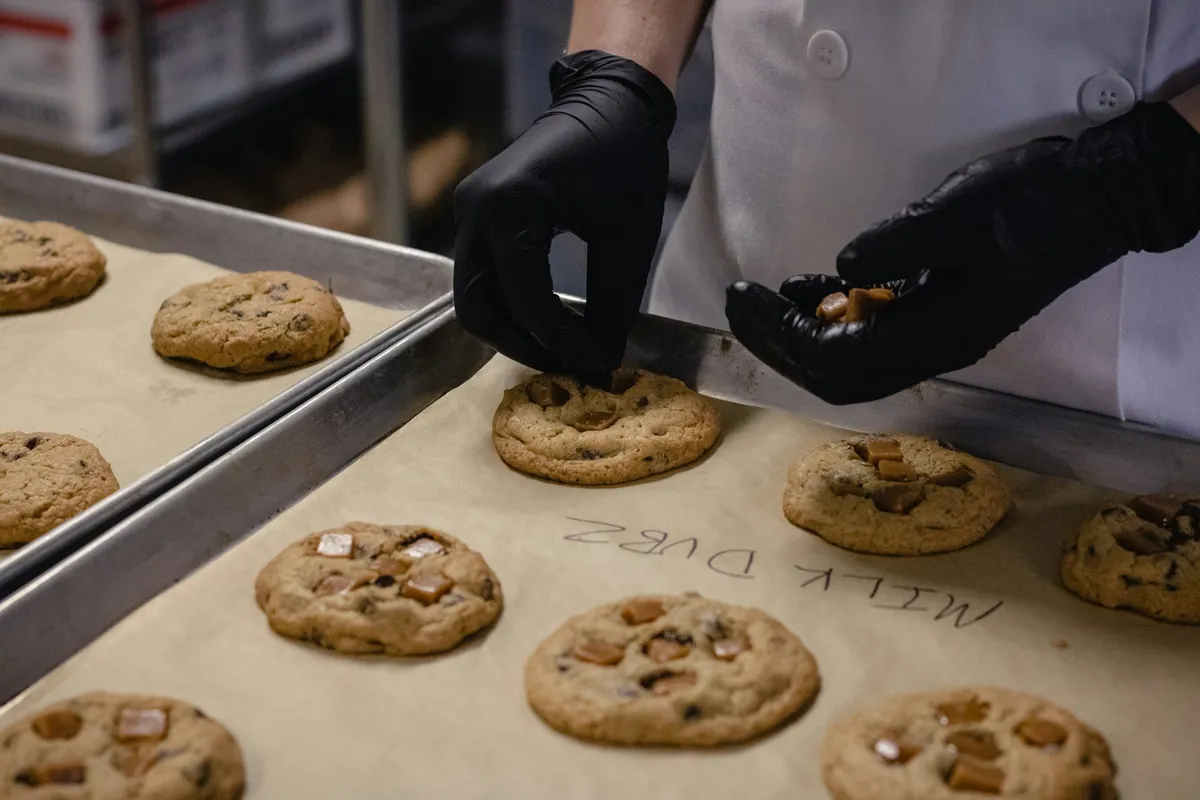
The email from your almond flour supplier is three sentences long. A lot you bought in August may be contaminated, here is the lot number, please confirm what you did with it. You made a lot of things in August. Somewhere in your records is the answer to two questions: which of your batches used that flour, and who bought them. How long it takes you to answer depends on the software you chose months ago, before anyone emailed.
That is the test this post holds every lot tracking tool to. Not "does it have a lot number field" (they nearly all do), but: give it a supplier lot number, and does it hand back the customers? A lot field that never connects to a sale is just a label.
The short version: Ardent Seller (ours) puts lots, lot expiry dates and a supplier-lot-to-customer trace on every plan, from $0. Inventora is the cheapest paid-only option at $23 a month. Stocksmith, formerly Craftybase, unlocks lots at $99 a month. Katana is free up to 30 SKUs, with ingredients counted. MRPeasy, Zoho Inventory and inFlow are broader systems that put lots or expiry dates on pricier plans or add-ons. A spreadsheet still works if you keep the batch number on every sale.
Ardent Seller is the product we make, so weigh its section with that in mind; its weaknesses are listed there too. Every other price and feature below was checked on the vendor's own page on October 30, 2026. Where a page didn't say something, we don't either.
Does a small food business have to track lots?
Mostly not yet by federal law, and that is worth knowing before you pay for anything.
The FDA's Food Traceability Rule (opens in new tab) applies only to foods on its Food Traceability List (opens in new tab). The list includes all forms of nut butter, fresh and soft cheeses, shell eggs, and fresh produce such as herbs, peppers, cucumbers and leafy greens. It also covers foods that contain a listed food as an ingredient, as long as that ingredient "remains in the same form (e.g., fresh)". Most cottage bakery goods are not on it. A peanut butter maker is. A salsa fresca maker using fresh peppers and tomatoes probably is too.
Two dates and one threshold decide the rest:
- Enforcement starts no earlier than July 20, 2028. The original compliance date was January 20, 2026. Per FDA's Food Traceability Rule page (opens in new tab), a 2026 appropriations act then directed FDA not to enforce the rule before July 20, 2028, and FDA "intends to comply".
- Small retail food establishments are exempt. 21 CFR 1.1305 (opens in new tab) exempts retail food establishments and restaurants averaging no more than $250,000 a year in food sold or provided over the previous three years. That figure is in 2020 dollars and adjusts for inflation from that baseline, so ask your regulator for the current figure. Whether a home kitchen selling wholesale counts as a retail food establishment is a question for your regulator, not this post.
- When the rule applies, the clock is 24 hours. FDA's rule page says covered businesses must produce their records within 24 hours of a request, or a reasonable time FDA agrees to. Where required, that includes an "electronic sortable spreadsheet".
Federal law isn't the only source of lot rules. Some state cottage food laws have their own. Texas, for example, requires a batch number on the label and batch records kept for 12 months for pickled, fermented and acidified canned cottage foods, pickled cucumbers excepted (Tex. Health & Safety Code § 437.01951; see the Texas cottage food rules). And for many small makers the push to track lots isn't the law at all. A grocery buyer asks for it, or an ingredient recall arrives and there is no way to answer it.
So the useful question is not "am I required to" but "could I answer that supplier's email today?"
What makes lot tracking work: the three links
A recall trace is a chain with three links, and software can only follow the links you recorded:
- Purchase → supplier lot. When the flour arrives, its lot number goes on the purchase.
- Batch → ingredient lots. When you bake, the batch records which flour lot it used, and gets its own batch number.
- Sale → batch number. When the cookies sell, the sale records which batch they came from.
Link 3 is the easiest one to skip. At a market table, few people write a batch number on a cash sale. A wholesale invoice gets sent with product names and no lots. The tools below differ on how far their vendors say the trace reaches, on whether it runs as one search, and on which plan you need before any of it switches on.
Lot tracking software for small food businesses, compared
| Tool | Lots from | Expiry dates | Supplier lot to customer | Free option |
|---|---|---|---|---|
| Ardent Seller | Every plan, $0 | Every plan | Yes: one search, CSV export | Free plan, 50 transactions/mo |
| Inventora | Starter, $23/mo | Not stated on its pages | Not stated (supplier lot to batch stated) | 7-day trial |
| Stocksmith | Indie, $99/mo | Indie and up | Not stated (traceability reports stated) | 14-day trial |
| Katana | Every plan | Every plan | Yes: supplier to customer, per Katana | Free up to 30 SKUs |
| MRPeasy | Starter, $49/user/mo | Professional, $69/user/mo | Not stated (lot traceability stated) | Free trial, "15 + 15 days" |
| Zoho Inventory | Premium, $99/mo | Not stated on pricing page | Not stated (batch tracking stated) | Free plan, no batches |
| inFlow Inventory | Lite + $39 add-on, $168/mo | With the lot add-on | Not stated (lots and batches stated) | Free trial |
| Spreadsheet | Free | If you add a column | Yes, if every sale has a batch | Free |
The seven lot tracking tools, one by one
Ardent Seller: lots and recall tracing on every plan, starting free
Ardent Seller is inventory, recipe costing and production software for small makers, and lot tracking is built into the same records you already keep. A purchase records the supplier's lot. A production run uses up ingredients by lot and gets its own batch number, with an optional expiry date. A sale line takes the batch number it came from. The food producer workflow guide walks through each of those records.
The Traceability report is where the recall question gets answered. Type the supplier's lot number into its search and it returns the production runs that used that lot, the ingredient quantities, the vendor, and the customers and sales each run reached. The CSV export lays all of that out in sortable columns (ingredient batch, vendor, customer, sale number, sale batch), which is the shape of answer a buyer or inspector asks for.
Pros:
- Lots, lot expiry dates and the Traceability report are on every plan, Free included. No tier unlocks them.
- Recipes and production runs use up ingredients at what they cost you, so the same records give you cost per batch.
- One price per account, with two users included on Free and Maker.
Cons:
- The trace to customers is only as exact as the batch numbers on your sales. A sale with no batch number is spread across that product's batchless runs in proportion to how much each made. That's a reasonable estimate, but it isn't a trace, and the report lists sales it could not match.
- The Free plan allows 50 transactions a month. Each purchase, sale and adjustment counts once, and a production run counts twice (its output and its ingredient use). A bakery doing 12 batches, 30 sales and 6 supply runs a month uses 60, which puts it on Maker at $19 a month for 150 (Ardent Seller's plans).
- It launched more recently than Katana or Stocksmith, with a shorter track record.
Recap: Lots: every plan · Expiry: every plan · Trace: yes, supplier lot to customer in one search, CSV export · From: $0 for 50 transactions a month, $19 for 150 · Best for: a cottage or small commercial food maker who wants costing and recall tracing in one place.
Inventora: the cheapest paid-only option
Inventora's pricing page (opens in new tab) lists "Full Batch Traceability" on its Starter plan at $23 a month billed monthly, with 500 materials, 500 product variants and two team members. Its skincare page (opens in new tab) describes the chain: supplier lot numbers recorded on receipt, the specific lots consumed in production, and a history "connecting your purchased materials, production batches, and finished products."
Pros:
- Lots on the entry plan, so you never pay a tier jump to switch them on.
- Unlimited sales, production runs and supply orders on every plan.
Cons:
- Its pages describe the trace from supplier lot to finished batch. They do not say whether a batch links to the customers who bought it, or whether batches carry expiry dates. Test both in the 7-day trial with one real lot before you commit.
- No free plan; Business is $48 a month if you outgrow 500 materials or two team members.
Recap: Lots: Starter · Expiry: not stated · Trace: customer link not stated (supplier lot to batch stated) · From: $23/mo · Best for: a maker on a small budget who mainly needs ingredient-to-batch records. Compare: Inventora vs Ardent Seller.
Stocksmith (formerly Craftybase): lots start at the second tier
Craftybase became Stocksmith (opens in new tab) in July 2026; same team, same software. On Stocksmith's pricing page (opens in new tab), "Batch & lot tracking" and "Traceability & compliance reports" first appear on Indie, at $99 a month billed monthly or $83 billed yearly. Its help center marks material lot numbers (opens in new tab) and batch expiry dates (opens in new tab) unavailable on Studio and available from Indie up.
Pros:
- Recipe (bill of materials) costing with component assemblies, and lots tied to manufacture records.
- Unlimited users from Indie, so a small team doesn't pay per seat.
Cons:
- Lots skip the two cheaper plans. Pro ($20) and Studio ($49) can't do the job this post is about.
- Indie caps you at 1,000 order lines a month, and each product in an order counts as one line.
Recap: Lots: Indie · Expiry: Indie and up · Trace: customer link not stated (traceability reports stated) · From: $99/mo ($83 yearly) · Best for: an established maker who wants deep costing and has outgrown cheaper tools. Compare: Stocksmith (Craftybase) vs Ardent Seller.
Katana: free under 30 SKUs, custom-priced above
Katana's pricing page (opens in new tab) offers a Free plan with "all Katana features, within a 30 SKU limit", and Katana describes its traceability as tracking "lots, serial numbers, and expiry dates from supplier to customer." The catch for a food business is what counts toward the 30: Katana defines SKUs as identifiers for "your product or material variants". Flour, sugar, butter, boxes and labels each use one.
Pros:
- The full feature set, traceability included, at $0 for a very small catalog.
- Strong manufacturing tools if you grow into a production team.
Cons:
- A bakery with 20 ingredients, 8 packaging items and 6 products has already used 34 SKUs.
- Above Free there is one plan, Advantage, a custom-quoted annual contract that includes implementation. No list price is published.
- Only Shopify connects to the Free plan for e-commerce.
Recap: Lots: every plan · Expiry: every plan · Trace: yes, supplier to customer, per Katana · From: $0 up to 30 SKUs, then a custom annual quote · Best for: a single-product maker with very few ingredients, or a business ready for an implementation project. Compare: Katana vs Ardent Seller.
MRPeasy: manufacturing software priced per user
MRPeasy's pricing page (opens in new tab) lists Lot Traceability on every plan, from Starter at $49 per user per month. Expiry dates are a "Professional function", which starts at $69 per user per month. Paying yearly gets one month free, and MRPeasy advertises a free trial of "15 + 15 days".
Pros:
- Lot traceability on the entry plan, inside a full production planning system.
- Real scheduling, purchasing and work orders when a solo kitchen becomes a production line.
Cons:
- Per-user pricing: two people on Professional is $138 a month.
- For a perishable food, expiry dates are the feature you need, and they skip Starter.
- It is built for factories; a home baker will use a fraction of it.
Recap: Lots: every plan · Expiry: Professional · Trace: customer link not stated (lot traceability stated) · From: $49/user/mo, $69 with expiry dates · Best for: a food manufacturer with staff and a production schedule to plan. Compare: MRPeasy vs Ardent Seller.
Zoho Inventory: batches on Premium
On Zoho Inventory's pricing page (opens in new tab), batch tracking and serial number tracking first appear on Premium, $99 a month billed monthly or $79 billed yearly, with 3,000 orders a month and five users. The free plan (50 orders a month, one user) and Standard do not include them.
Pros:
- A broad order-management system with a free plan to learn on.
- Fits well if you already run your business on other Zoho apps.
Cons:
- No batches below $79 a month.
- Its pricing page lists composite items (assemblies), not recipe costing, so check that it models how ingredients turn into product before relying on it for batch records.
Recap: Lots: Premium · Expiry: not stated on pricing page · Trace: customer link not stated (batch tracking stated) · From: $99/mo ($79 yearly) · Best for: a seller already in the Zoho ecosystem whose products are assembled more than cooked. Compare: Zoho Inventory vs Ardent Seller.
inFlow Inventory: lots as a paid add-on
On inFlow's pricing page (opens in new tab), "Lot numbers: manage lots, batches, and expiry dates" is a $39-a-month add-on on the Lite, Core and Pro plans, and included on Max. Lite is $129 a month billed monthly or $99 billed yearly, so lots start at $168 a month billed monthly. inFlow's FAQ adds that "most inFlow plans require you to purchase an onboarding package", a one-time $499; its plan table marks it optional on Lite.
Pros:
- Mature, broad inventory software with barcode scanning and a phone app.
- Lots, batches and expiry dates in one add-on.
Cons:
- The most expensive published route to lot numbers here.
- Built for wholesalers and distributors more than for kitchens.
Recap: Lots: add-on on Lite, Core and Pro; included on Max · Expiry: with the lot add-on · Trace: customer link not stated (lots and batches stated) · From: $168/mo (Lite + add-on) · Best for: a business that is mostly buying and reselling, with some assembly. Compare: inFlow vs Ardent Seller.
Lot tracking in a spreadsheet: the free option
A spreadsheet can trace a recall. FDA even publishes a free electronic sortable spreadsheet template, downloadable from its Food Traceability Rule page (opens in new tab). Three tabs that mirror the three links (purchases with supplier lots, batches with the lots they used, sales with batch numbers) will answer the supplier's email with a filter or two.
Where it fails is the same place every tool fails, only quieter: link 3. A spreadsheet never warns you that last Saturday's market sales went in with no batch number. Ardent Seller's Traceability report at least lists the sales it couldn't match; check whether any tool you trial does the same. If you are weighing the switch, see spreadsheets vs Ardent Seller, or the free Spreadsheet vs Inventory Software decision guide, which walks through the points where a sheet stops holding up.
What one small bakery would pay for lot tracking
Prices mean more against a real shape of business. Take a cottage bakery selling to two cafés and a weekend market. Each month it bakes 12 batches, records 30 sales and makes 6 supply runs. It stocks 20 ingredients, 8 packaging items and 6 products, run by one person, and it wants lot numbers with expiry dates.
| Tool | Plan needed | Monthly cost | Why that plan |
|---|---|---|---|
| Spreadsheet | None | $0 | No software; batch numbers kept by hand |
| Ardent Seller | Maker | $19 | 60 transactions (12 batches × 2 + 30 sales + 6 purchases) is over Free's 50 |
| Inventora | Starter | $23 | Expiry dates not stated; test in trial |
| MRPeasy | Professional, 1 user | $69 | Expiry dates are a Professional function |
| Stocksmith | Indie | $99 | First plan with lots and expiry |
| Zoho Inventory | Premium | $99 | First plan with batch tracking; expiry dates not stated |
| inFlow Inventory | Lite + lot add-on | $168 | Cheapest plan with lots, via the $39 add-on; $499 onboarding optional on Lite |
| Katana | Advantage | Custom quote | 34 SKUs is over Free's 30 |
Among the tools that publish a price and confirm expiry dates, the spread runs from $19 to $168 a month for the same job (Katana's Free plan stops at 30 SKUs, and its paid plan is quoted privately). Much of that gap pays for features a bakery won't use: warehouse management, per-user production planning, B2B portals.
How to choose lot tracking software for your food business
Start from the recall question and work backward:
- Know where your sales happen. Wholesale invoices and online orders have room for a batch number, though it is easy to leave off; a cash sale at a market has nowhere obvious to put one. Whichever applies, check in step 4 how many clicks it takes to add a batch number to a sale, or accept that your trace will stop at the batch.
- Count your SKUs, ingredients included. That rules Katana's Free plan in or out in two minutes.
- Price the plan where lots and expiry dates both switch on, not the entry plan. That is the number in the bakery table, and it is often two tiers up.
- Run a practice recall in the trial. Buy one ingredient with a made-up supplier lot, make one batch with it, sell some to a test customer (noting how many clicks the batch number takes on the sale), then search the supplier lot. If the customer doesn't come back in one search, that is what a real recall will look like too.
If you make food in small batches and want costing and recall tracing in one place, start free with Ardent Seller: record one purchase with its supplier lot, run one batch, and search that lot in the Traceability report before you need to.
Related reading
- Batch Tracking for Food Sellers — before you pick software, how to set up batch tracking for a food business: a batch number format, what to record for each batch, and the mistakes that break the trail.
- Best Recipe Costing Software for Home Bakers — the other half of the same records: once batches carry lots, what each one actually costs you to make.
- Hot Sauce Compliance — for sauce and pickle makers, the acidified-food rules, where a pH log for every batch is part of selling legally.
- Bakery Spreadsheet vs. Inventory Software — if the spreadsheet option above is tempting, what a flat sheet cannot see about a bake day.
Free resources
Two free downloads: one for deciding whether to move off a spreadsheet, one for checking your state's batch rules.
- Spreadsheet vs Inventory Software: The Decision Guide — for testing whether your current sheet can still answer a recall, or whether it is time to move the three links into software.
- Cottage Food Laws by State: The 50-State + DC Quick Reference — to check whether your state already asks for batch numbers or records on the products you make.
This article is for general informational purposes only and is not legal or regulatory advice. Food traceability, labeling and recordkeeping requirements depend on your products, your state and how you sell. Confirm what applies to your business with your state or local food regulator, or with FDA, before relying on any summary here. Prices and plan features were checked on each vendor's website on October 30, 2026 and change often; confirm current terms with the vendor.