How to start a sublimation business
Sublimation turns blank polyester apparel and poly-coated mugs, tumblers, and ornaments into permanent, full-color personalized products you press in-house — no outsourced fulfillment, no minimum order. A home setup runs $400–$2,000 and takes 3–8 weeks to a first sale. The wins most "make $X a month with a $200 printer" videos skip are the three this guide is built around: the polyester rule that decides what you can even print on, color management that makes the pressed result match your screen, and pricing that survives a market where "custom tumbler" already returns hundreds of thousands of listings.
- Startup cost
- $400 – $2,000
- Time to first sale
- 3 – 8 weeks
- Note: Equipment ships in days and there is no licensing wait — the time is design, test presses to dial in color, listing, and building enough visibility to convert in a crowded market
- Difficulty
- Moderate
Last reviewed · Rates, fees, and regulatory thresholds in this guide can change — verify the linked sources before acting.


The short version
Sublimation dye turns from solid to gas under heat (around 380–400 °F) and bonds permanently into polyester fibers or polymer-coated surfaces — which is the one rule that governs everything: it works on polyester and poly-coated blanks, and it does not work on cotton (the dye sits on the surface and washes out). Cotton garments need a different method (DTF or HTV), so your product line is decided by that constraint before you buy anything. The startup fork is the printer: a converted Epson EcoTank (~$200–$250 for the printer, filled with third-party sublimation ink) is the cheapest entry but means any ink-related failure is no longer covered by Epson and you self-support color management with ICC profiles; a dedicated Sawgrass (SG500 bundle commonly ~$600–$630) costs more but ships with sublimation-tuned color, software, and a full warranty. Add a heat press ($80–$400+ depending on flat vs. mug vs. tumbler), ink, paper, and a starter pile of blanks, and a realistic home setup lands $400–$2,000. The recurring traps are the blank pile (hundreds of dollars of mugs and tees sitting unsold) and per-print costs for paper and ink that are easy to leave out of a price. This guide walks the polyester rule, the printer decision, color management, the real press-cost math, and where to sell — in order.
Good fit if…
- You want to make and ship personalized products yourself, in-house, rather than outsource printing to a third party
- You're comfortable with a learning curve — color profiles, per-substrate press settings, and a few wasted test blanks before the output is consistent
- You like the idea of selling at craft markets and local events as well as online (personalized mugs, tumblers, and ornaments are market-and-gift natives)
- You're willing to pick a tight niche and shoot good photos rather than list generic "custom tumbler" designs into a saturated search grid
- You have $400–$2,000 of starter capital and a ventilated space you can dedicate to a hot press
Probably not for you if…
- You mostly want to sell on cotton — sublimation can't print durable color on cotton; that's a DTF or HTV business, not a sublimation one
- You expected a hands-off "passive" model — sublimation is made-to-order physical production with per-item press labor on every single unit
- You're not willing to learn color management — without an ICC profile (on a converted Epson) the pressed colors will not match your screen
- You want to print licensed characters, sports logos, or brand marks — those trigger the same takedowns and legal exposure they do anywhere else
- You need consistent margins on generic designs sold at the lowest price — the generic end of the market is saturated and races to the bottom
Tip: The pressing itself is approachable — load a blank, lay the print, set time and temperature, and press. The work that separates a profitable shop from a closet full of blanks is elsewhere: color management so the pressed color matches your screen (the step 4 ICC-profile workflow), per-substrate time-and-temperature dialing, and a niche tight enough to rank in a market saturated at the generic end. Treat it as a craft with a real learning curve, not a one-click side income.
End-to-end timeline for a new sublimation shop
Equipment ships in days and there's no licensing wait, so the calendar is driven by the learning curve — dialing in color and press settings — and by building enough visibility to convert in a crowded market.
- Set up + IP discipline~1 week
Business setup, USPTO trademark search, sales-tax permit and resale certificate, order printer, press, ink, paper, and a starter blank pile.
- Dial in color + settings1–2 weeks
Install ICC profile (converted Epson), print color charts, test-press each substrate, and log repeatable time/temperature/pressure settings.
- Design + list1–2 weeks
Create or license designs, press real samples, photograph the actual products, and write niche-specific listings with honest processing times.
- Visibility ramp + first orders1–4 weeks
Pinterest and marketplace SEO surface listings; a market booth can produce a first sale sooner. Heavily niche- and photo-dependent.
3–8 weeks to first sale; an in-person market booth can pull the first sale earlier than online search
The 8-step playbook
Run these in order. Skipping ahead is the most common reason new makers ship inconsistent product or under-price their work.
Step 1: Learn the polyester rule and pick your product line
Before you buy a single piece of equipment, internalize the one constraint that governs sublimation: it bonds only to polyester and polymer-coated surfaces. That rule decides what products you can make — and rules out the cotton tee most beginners picture.
Decoration methods compared
Sublimation is one of three common ways to put a design on a product. The right one depends mostly on the material you want to sell on — sublimation's polyester-only constraint is the whole decision. Pick deliberately; it determines what blanks you can buy.
| Option | Works on | Durability / feel | Best for | Equipment to start | Main limitation |
|---|---|---|---|---|---|
Sublimation Dye bonds into polyester / poly coating. | Polyester & poly-coated blanks only (not cotton) | Permanent, no hand-feel — print is in the material | Full-color mugs, tumblers, ornaments, polyester apparel | Sublimation printer + heat press | Cotton and dark blanks are off-limits |
DTF (direct-to-film) Print to film, powder, then press. | Cotton, polyester, blends, nylon, leather — any color | Durable; a thin film layer you can feel | Cotton apparel and mixed-material orders | DTF printer + powder + curing + heat press (higher cost) | Higher equipment cost and a surface layer |
HTV (heat-transfer vinyl) Cut colored vinyl, weed, then press. | Cotton, polyester, blends | Durable; a vinyl layer you can feel | Text, names, simple single- or few-color designs | Vinyl cutter + heat press (lowest cost) | Not for full-color or photographic designs |
This is a material-and-design decision, not a ranking — none is "better." Sublimation wins on full-color poly goods with no hand-feel; DTF wins on cotton and dark garments; HTV wins on simple text and names. Choose by what you want to sell on.
How sublimation works, in one paragraph. Sublimation ink contains disperse dyes that, under a heat press at roughly 380–400 °F, convert directly from a solid to a gas. Polyester's polymer fibers open under that heat and absorb the gaseous dye; as the material cools, the fibers close and lock the dye permanently inside. The result is a full-color print with no raised layer and no hand-feel — it's in the material, not on top of it, so it doesn't crack, peel, or fade the way a surface print does. The same physics is why it works on a poly-coated mug or tumbler: the dye bonds into the polymer coating, not the ceramic or steel underneath.
The rule that decides your whole product line: sublimation only works on polyester fabric or polymer (poly) coated blanks. On cotton, the dye has nothing to bond into — cotton's cellulose fibers don't open under heat — so it sits on the surface and washes out, leaving a faded, disappointing print. Practical implications every sublimation seller lives by:
- Higher polyester percentage = brighter, more permanent print. A 100% polyester tee gives the most vivid, wash-durable result. A 50/50 cotton-poly blend prints with a deliberately faded, "vintage" look (only the polyester fibers take the dye). Below roughly 50% polyester the print is muddy and short-lived.
- Blanks must be made for sublimation. A mug or tumbler needs a polymer coating; you can't grab a random mug off a shelf and sublimate it. Buy items explicitly sold as "sublimation blanks."
- White and light blanks only. Sublimation ink is translucent and there is no white ink — the blank's color shows through. Designs print true on white or light substrates; on a colored blank the colors shift toward the base color.
- Cotton is a different business. If your vision is soft cotton tees, that's a DTF (direct-to-film) or HTV (heat-transfer vinyl) operation, not sublimation. Some sellers bridge the gap with sublimation coating sprays or poly-glitter HTV as an intermediate layer, but those add steps and the durability and feel vary — treat them as exceptions, not the core model.
Pick a starter product line that fits the rule. The reliable, beginner-friendly blanks are poly-coated mugs, tumblers, and ornaments plus polyester apparel (tees, performance shirts), with mouse pads, keychains, coasters, and photo panels as easy add-ons. The "Decoration methods compared" table in this step frames the decision against the two other decoration methods so you choose deliberately — many established personalization shops run sublimation for poly goods and a DTF or HTV setup for cotton, but that's two systems to learn; start with one.
Step 2: Set up the legal & business basics — and get IP discipline right
Sublimation has the same business-setup basics as any small product business, plus the same intellectual-property exposure as any print business. Get the IP discipline right before you press anything — and read the license on every design file you buy.
Intellectual property — the discipline a print business requires. Putting someone else's protected work on a mug doesn't become legal because you pressed it yourself. Two bodies of law apply:
- Copyright protects original creative works — illustrations, photographs, character art, song lyrics. It attaches automatically when a work is created (see the U.S. Copyright Office FAQ (opens in new tab)). Pressing a copyrighted character or illustration — even "fan art" or "inspired by" — exposes you to a takedown and, in bad cases, an infringement suit.
- Trademark protects names, logos, slogans, and brand identifiers used in commerce. Search the USPTO trademark database (opens in new tab) (the current cloud search tool — the older TESS system has since been retired) before building a product around any name, phrase, or logo you didn't create.
The landmines sublimation sellers hit most often are the same as any merch business: sports team names and logos (licensed only), entertainment IP (Disney, Marvel, anime, video-game art), music lyrics and band names, and brand marks — including surprisingly common-word trademarks. A free five-minute USPTO search before committing to a design is the cheapest insurance there is.
Purchased "sublimation designs" carry licenses you must read. A large cottage industry sells sublimation PNGs and design bundles, and buying one is not the same as buying the copyright — the artist keeps it, and you get only the rights the license grants. Typical commercial licenses let you press a capped number of finished physical products yourself, but commonly forbid: reselling or sharing the file, altering it into a new digital product, and using it on outsourced print-on-demand platforms. Some cap the number of items (e.g., a few hundred to under a thousand) before a new license is needed. Read each design's license terms and keep a folder of purchase receipts as license proof.
Beyond IP, the standard business setup applies:
- A business structure. Most sublimation sellers start as a sole proprietorship (no filing in most states) or form a single-member LLC for liability separation. LLC filing fees vary by state — check your Secretary of State. The SBA's guide to choosing a business structure (opens in new tab) is a good starting point.
- An EIN. Free from the IRS via the EIN application page (opens in new tab), completed online in minutes. Useful once you form an LLC, buy blanks wholesale, or want your SSN off vendor and platform forms. Never pay a third party for one — the IRS issues it free.
- A state sales-tax permit and a resale certificate. Most states with a sales tax require a permit to operate as a business (only Alaska, Delaware, Montana, New Hampshire, and Oregon levy no state sales tax — see the Tax Foundation's state and local sales-tax rates report (opens in new tab)). The same registration usually gives you a resale certificate, which lets you buy blanks and supplies wholesale without paying sales tax you'd otherwise have to reclaim. Marketplaces like Etsy collect and remit sales tax on your behalf as facilitators, but you typically still need the permit.
- 1099-K awareness. Marketplaces and payment processors issue Form 1099-K above the federal threshold (states may set lower ones). That threshold has changed more than once in just the past few tax years, so don't rely on a figure from memory or an older guide — confirm the amount in effect for the current tax year on the IRS 1099-K overview (opens in new tab) (and check whether your state sets a lower one). Either way, income is reportable whether or not you receive the form.
- Product liability insurance — worth pricing. Sublimated drinkware and apparel are lower-risk than ingestibles, but a tumbler lid failure or a reaction to a coating can happen, and craft-fair organizers often require proof of coverage. Maker-focused programs like ACT Insurance (opens in new tab) are worth pricing once revenue is real. Skip on day one if cash is tight; revisit at the first signal of steady sales.
Two things people over-do here: forming an LLC before any sales (start as a sole prop, upgrade later) and registering a trademark for the shop name before sales prove the niche works.
Regulatory notice: Buying a design file is not buying the copyright
A purchased sublimation PNG comes with a license, not ownership — the artist keeps the copyright. Most commercial licenses permit a capped number of finished physical products you press yourself and forbid reselling the file, altering it into a new digital product, or using it on outsourced print-on-demand platforms. Pressing a licensed character or a sports logo you found online is infringement regardless of where the file came from. Read every design license, keep the receipts, and run a USPTO trademark search before building a product around any name or phrase.
Step 3: Buy your equipment — printer, press, ink, paper, and blanks
The defining startup decision is the printer: a converted Epson EcoTank for the lowest entry cost, or a dedicated Sawgrass for sublimation-tuned color and a real warranty. Everything else — press, ink, paper, blanks — follows from the products you chose in step 1.
Converted Epson vs. dedicated Sawgrass
The printer choice is the biggest single startup decision. It's a trade between the lowest entry cost and the least color-management hassle plus warranty coverage.
| Option | Upfront cost | Color management | Warranty & support | Best for |
|---|---|---|---|---|
Converted Epson EcoTank ET-2400 / 2800 / 2803 / 15000 + third-party ink. | Lowest (~$200–$250 printer + ink) | You install ICC profiles and manage color yourself | Ink-related failures not covered by Epson; self-supported | Lowest-budget entry, willing to learn color |
Dedicated Sawgrass SG500 / SG1000, purpose-built. | Higher (SG500 bundle commonly ~$600–$630) | Built-in profiles and software — color works out of the box | Full manufacturer warranty and support | Spending more to skip the color-management learning curve |
Prices are approximate as of mid-2026 and change with bundles and promotions — verify current pricing and the warranty term before buying. The Sawgrass bundle costs roughly 3–4× a converted EcoTank; what you buy with the difference is color that works out of the box and failures that are covered.
The printer decision. Two paths dominate home sublimation, and the trade-off is upfront cost versus color-management effort and support.
- Converted Epson EcoTank (models commonly converted include the ET-2400, ET-2800/2803, and the wide-format ET-15000). You buy the printer (~$200–$250 for an entry ET-2800) and fill its refillable tanks with third-party sublimation ink instead of Epson's ink. It's the cheapest way in. The catch: converting with third-party ink means Epson won't cover any ink-related failure under warranty, and you lose Epson's tech support — so in practice you're self-supported, including the color management in step 4. Once converted, the printer can never go back to regular Epson ink.
- Dedicated Sawgrass (SG500, or the larger-format SG1000). Purpose-built sublimation printers that ship with sublimation ink, color-management software with built-in profiles, and a full manufacturer warranty. The SG500 is commonly sold as an ink-bundle starting around $600–$630 and prints up to 8.5"×14"; the SG1000 prints larger (up to tabloid/A3) for a higher price. You pay roughly 3–4× a converted EcoTank, and in return color "just works" out of the box and failures are covered. Verify current bundle pricing and the warranty term before buying — Sawgrass has changed both.
The heat press. Match the press to the products, not the other way around:
- Flat press (clamshell or swing-away), 15"×15": the workhorse for apparel, mouse pads, and flat panels — roughly $150–$400 for hobby-to-prosumer units. Clamshell opens like a clam (smaller footprint, lower cost); swing-away moves the top platen aside for more even pressure and safer loading of thick items.
- Mug press: ~$80–$200, wraps a heating element around a mug.
- Tumbler press: ~$200–$800 depending on size and how many tumblers it does at once. Higher-volume shops move to a convection oven with shrink-wrap sleeves to press many tumblers per cycle.
You don't need every press to start — pick the one that matches your first product line and add the others as the catalog grows.
Ink, paper, and the rest.
- Sublimation ink: a starter set runs roughly $100–$200 (built into the Sawgrass bundle; a separate purchase for a converted Epson).
- Sublimation paper: roughly $0.20–$1.00 per sheet; cheaper by the ream. Paper is matched to your printer width.
- Consumables: heat-resistant tape (to hold transfers in place), butcher/protective paper, a lint roller, and heat-resistant gloves — small per-item costs.
- Blanks: your starting pile of sublimation-ready mugs, tumblers, shirts, or ornaments. This is where a new shop's money quietly goes — buy a small, focused range and prove it sells before stocking deep (step 7 covers the blank-pile trap directly).
Realistic total startup. These are approximate and move with promotions and model year — verify current pricing — but a workable framing: a converted-Epson entry setup (printer + an entry flat or mug press + ink, paper, and a starter blank pile) lands roughly $400–$700; a mid setup (converted Epson + a solid flat press + a mug or tumbler press + supplies) runs roughly $700–$1,200; and a Sawgrass SG500 setup with a quality press and supplies runs roughly $1,200–$2,000+. Those totals are arithmetic from the component ranges above, not a single quoted figure — price your actual cart before committing.
Safety warning: A heat press runs 380–400 °F — treat it like the hot tool it is
Heat presses and pressed blanks reach temperatures that cause serious burns. Work on a heat-safe surface, wear heat-resistant gloves when handling pressed items, keep the press away from children and pets, and never leave a closed press unattended. Press in a ventilated space — sublimation gives off fumes during pressing — and follow the manufacturer's time, temperature, and pressure guidance for each substrate.
Step 4: Dial in color management and press settings
The single most common beginner disappointment is pressed colors that don't match the screen — pinks that go orange, grays that go green. The fix is color management plus a short habit of test presses for each substrate. Get this right before you list anything.
Why the colors are wrong out of the box (converted Epson). A stock printer driver assumes regular ink on regular paper and mixes colors for that combination. Loaded with sublimation ink printing onto sublimation paper, those assumptions are wrong, so the printed-and-pressed color drifts from what you designed. The fix is an ICC profile matched to your specific printer + ink + paper combination — it tells the printer how to mix the sublimation inks so the pressed result lines up with your screen. Your ink supplier typically provides the ICC profile and install instructions for your printer model; installing and selecting it in your design software is a one-time setup step that fixes the color drift.
Dedicated systems manage color for you. Sawgrass printers handle color internally through their own software and built-in profiles, so a separate consumer ICC install usually isn't needed — that's a meaningful part of what the higher price buys. If you went the converted-Epson route, the ICC step above is yours to own.
Test presses are not optional. Final color also shifts on the blank itself — a mug, a white tee, and a performance shirt won't render an identical design identically. Before you sell a new product:
- Print a color chart and press it on the actual blank you'll sell, so you can see how your reds, skin tones, and grays land on that substrate.
- Dial time, temperature, and pressure per substrate. A mug, a tumbler, and a polyester tee each have their own recommended press time and temperature — start from the blank supplier's and press manufacturer's specs, then adjust. Too little heat or time gives a faded print; too much can scorch the blank or cause "ghosting" (a blurry shadow from the transfer shifting).
- Control moisture. Polyester and paper hold humidity that turns to steam under the press and muddies color; many sellers pre-press apparel for a few seconds to drive off moisture.
Keep a settings log for every product. A simple spreadsheet with one row per substrate is enough to start — record the blank, the press time, temperature, and pressure, the paper, and any pre-press step that produced a good result. That log is your repeatable recipe — it turns "I think it was around 400 for 60 seconds" into a process you can run identically every time and hand to anyone who helps you press. The same record feeds the per-item costing in step 5 (press time is labor) and the inventory tracking in step 7.
Step 5: Price each press for materials, the blank, and your labor
Sublimation pricing has a real materials-plus-labor structure (unlike outsourced print-on-demand), which means the maker multiplier framework fits — but only if you actually count the blank, the per-print ink and paper, and the press labor on every single unit. All three are easy to under-count.
Sublimation is made-to-order physical production, so the standard maker-pricing framework applies. Stated as formulas: wholesale = (materials + labor + overhead) × 2, and direct retail = wholesale × 2 (≈ 4× cost). That puts your market or Etsy retail price near four times true cost — which leaves room for a future wholesale or bulk buyer to mark you up. If you only ever sell direct, you can land closer to 2.5–3× cost; personalized and custom one-offs command more because the perceived value (and the per-order labor) is higher.
What "materials" includes per unit. Unlike a digital design, every sublimated item consumes a physical blank plus per-print consumables. The numbers below are illustrative mid-range estimates as of mid-2026 — verify against your actual supplier pricing, which swings with blank quality and order volume.
Worked example — a sublimated mug
- Poly-coated mug blank: ~$2.50
- Ink + sublimation paper (one print): ~$0.75
- Energy (press cycle): ~$0.10
- Labor — design placement, taping, an ~8-minute press cycle plus handling, at $20/hr ≈ ~$2.65
- Materials + labor ≈ $6.00, plus overhead at ~15% (~$0.90) → true cost ≈ $6.50–$7.00
At a 2.5×–3× direct markup, that mug retails around $16–$21 — squarely in the $15–$20 range a personalized sublimated mug typically commands. A $9 "I'll just beat the competition" price is a loss once the press labor is counted honestly.
Worked example — a sublimated polyester tee
- Polyester blank shirt: ~$6.00
- Ink + sublimation paper (larger print): ~$1.25
- Energy (press cycle): ~$0.10
- Labor — print, pre-press for moisture, place, and press, ~10 minutes at $20/hr ≈ ~$3.35
- Materials + labor ≈ $10.70, plus overhead at ~15% (~$1.60) → true cost ≈ $12.30
At a 2×–2.5× markup, that tee retails around $24–$30. Polyester apparel competes on price more directly than custom drinkware, so real-market tee pricing usually lands closer to 2×–2.5× rather than the full 4× the framework allows — the $24–$30 range reflects where personalized poly tees actually sell, while a one-off custom mug can carry the higher multiple. Use roughly $20–$25/hr as a sensible labor floor for skilled personalized-product work — the BLS wage data for "Craft Artists" (SOC 27-1012) (opens in new tab) is a useful reference point (a broad proxy, not sublimation specifically; check the current figure on the linked page, and treat it as a starting reference rather than a precise match). Counting labor at zero is one of the most common pricing mistakes in personalized products.
Overhead — your fixed costs not tied to one item — includes electricity beyond the per-press line, the amortized cost of the printer and presses (equipment wears out; fold a share of it into each item rather than pretending the machine was free), software or design subscriptions, market or platform fees, and packaging. A workable starting heuristic is 10–20% of materials-plus-labor until you have real expense data.
Don't forget marketplace fees in the markup. On Etsy, plan for the listing fee plus a transaction fee and payment processing on every sale (see Etsy's Fees and Payments Policy (opens in new tab) for current rates) — together commonly around 9–11% of the order total, plus Etsy Offsite Ads (a further 12–15% on attributed sales, mandatory above a revenue threshold) where it applies. Bake the fees that apply to you into the markup rather than discovering them at payout. The pricing calculators below run the full materials-plus-labor-plus-fees math; plug in your own blank cost, per-print consumables, and press time.
Step 6: Open your shop and list your first products
Because you press in-house, the setup is simpler than outsourced print-on-demand — there's no fulfillment partner to connect and no production-partner disclosure to file. The work is good listings, honest processing times, and photos that show a real, personalized product.
Where sublimation sells. The common channels, often run in combination:
- Etsy — the default online marketplace for personalized and handmade goods, with built-in gift-shopping traffic. Listing fees and the per-sale fee stack are covered in step 5. Because you make the item yourself, sublimation sits cleanly in Etsy's handmade category — and unlike outsourced print-on-demand, there's no third-party "production partner" to disclose, since you are the producer.
- Craft fairs and local markets — personalized mugs, tumblers, and ornaments are market-and-gift natives, and selling in person lets buyers see the quality and request custom names on the spot. The craft-show prep tracker below helps you plan inventory and price for booth costs.
- Local and word-of-mouth — Facebook groups, local sports teams, schools, and small businesses are strong sources of bulk personalized orders (team tumblers, staff gifts) that skip marketplace fees entirely.
- Your own social shop or Shopify — worth layering on once a brand and repeat-customer base exist, for direct sales you fully control.
Listings that convert. Real photos of your actual pressed product beat any mockup — shoot on a clean background in natural light, and show the personalization (a real name on the tumbler) so buyers understand what they'll receive. Write specific, niche-relevant titles and tags rather than generic ones (step 8 covers why the generic end is a losing game). Spell out exactly what's customizable and what information you need from the buyer.
Set honest processing times and a clear personalization policy. Made-to-order means you press after the order arrives, so advertise a realistic turnaround (and pad it during busy seasons). Personalized items are generally non-returnable for buyer's remorse — a custom name can't be resold — so state that clearly, while still standing behind genuine defects (a flawed press, a damaged blank) with a remake or refund. Matching your stated policy to what you'll actually do prevents the negative reviews that sink a young shop.
Shop polish. A clear logo, a banner, an honest "About" section, and a shop announcement that names your niche all signal "real shop, real maker" to first-time buyers. Canva (opens in new tab)'s free plan handles all of it.
Step 7: Track blanks, consumables, variants, and per-item profit
Sublimation's operational trap is the blank pile — hundreds of dollars of mugs, tumblers, and shirts sitting on a shelf — plus per-print paper and ink costs that never show up in a spreadsheet. Tracking inventory and true per-item cost is the difference between a profitable shop and a busy one that loses money.
For the first handful of orders a notebook is genuinely fine. Past that, three things make the math brittle:
- The blank pile grows faster than sales. It's easy to buy a case of tumblers and a dozen mug styles "to have options," then discover months later that half the money you have is sitting unsold on a shelf. Tracking blanks as inventory — what you own, what it cost, what's actually selling — is what keeps reorders disciplined.
- Per-print consumables are invisible. Ink and paper are real per-unit costs, but because you buy them in bulk and consume them a sheet at a time, they vanish from most sellers' pricing. A bill of materials that deducts the blank and the consumables every time you finish a press keeps the true cost honest.
- The variant matrix sprawls. One design across mug, tumbler, and tee, each in several sizes and colors, becomes dozens of SKUs fast. Tracking them as variants of one product — rather than a tangle of disconnected entries — is what keeps counts accurate across Etsy, markets, and bulk orders from one stockroom.
A structured SKU from day one encodes the attributes that matter (product, design, size, color) into the code itself, so a label tells you what it is without opening a record. The SKU Design for Small Sellers post covers the naming pattern, and the SKU Naming and Barcode System Starter Kit linked below is a ready template.
Fold the equipment into your costs. The printer and presses wear out and will be replaced — so a share of their cost belongs in your per-item math (the overhead line in step 5), not treated as a free, one-time purchase. Tracking equipment and its maintenance is how machine wear actually shows up in your true per-item cost instead of quietly eroding margin.
Quarterly estimated taxes. Sublimation income goes on Schedule C (sole prop) or equivalent, and quarterly estimated taxes are generally required if you expect to owe $1,000+ for the year. Keep blank-and-supply costs (cost of goods) separate from equipment, software, and platform fees (operating expenses) so the Schedule C breakdown takes minutes. The pricing and tracking tools below are built for exactly this.
Step 8: Find a niche and drive traffic in a crowded market
The honest truth about sublimation in 2026: the generic end is saturated. "Custom tumbler" returns hundreds of thousands of Etsy listings. The shops that succeed don't compete on generic terms — they win on a tight niche, a clear occasion or identity, and photography that looks like a real seller, not a template.
Why generic loses. Personalized drinkware and apparel are among the most crowded categories online — competing on "custom mug" or "personalized tumbler" puts you against hundreds of thousands of listings and a race to the bottom on price. Marketplace conversion rates are low in general — only a small fraction of the people who view a listing buy it — so visibility is the whole game, and generic listings are invisible.
Win on niche, not breadth. The strongest sublimation shops combine two or three of these dimensions so their listings feel inevitable to a specific buyer:
- Audience or hobby — nurses, teachers, pickleball players, dog breeds, a specific fandom community (within IP-clean lines).
- Occasion — bridal-party gifts, teacher appreciation, new-baby, retirement, milestone birthdays, team and group gifts.
- Identity or local pride — a town, a region, a language, a shared identity.
- Aesthetic — a consistent visual style (retro, minimalist, watercolor) that makes your shop recognizable across products.
"Personalized tumblers for NICU nurses" or "retro state-pride mugs for the Pacific Northwest" has the precision to write specific designs against, an audience that recurs, and the search specificity to actually convert.
The free traffic channels that work. Marketplace listing SEO (specific, niche titles and tags) plus Pinterest (opens in new tab) — a visual search engine aligned with gift-shopping and aesthetic discovery — carry a new sublimation shop further than paid ads in the first six months. Both compound over months rather than days, so treat them as an SEO-style ramp. In-person markets are their own traffic channel: a booth puts your product in hands and generates custom and repeat orders that never touch a marketplace fee.
Photography is the highest-leverage skill. Because every competitor can press the same blank, the lead photo is what separates listings. A real, well-lit photo of your actual pressed product — showing the personalization — beats a generic mockup every time and is worth more practice than any marketing tactic.
Start with niche selection, real-product photos, marketplace SEO, and a market booth or two. They have near-zero downside and compound. Paid ads are an expensive way to learn marketing before your listings convert organically — revisit them only once a niche is proven and a bestseller exists.
The tools section
Tools to consider
A short, honest list — Ardent Seller alongside the other tools most sublimation business owners end up using.
Built for sublimation's blank-pile and per-print-cost problems. Track blanks, paper, and ink as inventory; build each product from a bill of materials so finishing a press deducts the right blank and consumables; manage a product × size × color variant matrix as one item; and capture press time and labor so personalized orders are priced for the work. Equipment costing folds the heat press into your true per-item cost, and per-channel reporting keeps Etsy, market, and wholesale counts accurate against one stockroom. Etsy sync is included on every plan — even the Free plan — so a one-shop seller can sync listings, orders, and inventory at no cost.
Maker of the SG500 and SG1000 dedicated sublimation printers, sold with sublimation ink, color-management software with built-in profiles, and a full warranty. The higher-cost alternative to a converted Epson — you pay more to skip the color-management learning curve and keep warranty coverage. Verify current bundle pricing and warranty term at the link.
The refillable-tank printer line commonly converted for sublimation (ET-2400, ET-2800/2803, wide-format ET-15000) by filling the tanks with third-party sublimation ink. The lowest-cost entry, with the trade-off that ink-related failures are no longer covered by Epson and color management is yours to handle. Verify current model pricing at the link.
Free design tool for sublimation layouts, shop banners, listing graphics, and simple personalization templates. Workable for text-and-graphic designs; not a substitute for a dedicated vector/raster editor on illustration-heavy work.
A marketplace for sublimation designs and graphics with commercial-use licensing. Read each asset's license carefully — commercial licenses typically allow a capped number of finished physical products you press yourself and forbid reselling or redistributing the file. Keep license receipts as proof.
Standard for tracking income and expenses for tax purposes. Separates blank-and-supply cost of goods from equipment, software, and platform operating expenses, and exports a Schedule C summary at year-end. Pricing changes — see Intuit's pricing page for current rates.
Common mistakes to avoid
The patterns that show up over and over in the first year.
Trying to sublimate cotton
A very common beginner mistake is pressing a beautiful design onto a cotton tee and watching it wash out. Sublimation bonds only to polyester and poly-coated surfaces — there is no workaround that makes plain cotton behave like polyester (coating sprays and poly-HTV are extra-step exceptions with variable results). If you want cotton, that's a DTF or HTV business. Buy 100% polyester apparel and blanks explicitly sold for sublimation.
Skipping color management
On a converted Epson, the stock driver mixes colors for regular ink on regular paper, so without an ICC profile your pinks go orange and grays go green when pressed. Install the ICC profile your ink supplier provides for your printer-and-paper combination, then print and press a color chart on the actual blank before you sell it. Sawgrass printers manage this internally — part of what the higher price buys.
Buying a deep blank pile before anything sells
It's easy to spend hundreds on cases of tumblers and a dozen mug styles "to have options," then find half your capital sitting unsold on a shelf months later. Buy a small, focused range, prove it sells, then reorder the winners. Track blanks as inventory so reorders are driven by what's actually moving, not by a supplier's bulk discount.
Not counting press labor (or the blank) in the price
Every sublimated item consumes a physical blank, per-print ink and paper, and several minutes of hands-on press labor — none of which is free. A mug with ~$2.50 in blank, ~$0.75 in consumables, and ~$2.65 in labor runs about $6.00 in materials and labor — near $6.50–$7.00 once overhead is added — so a $9 price barely clears cost and pays almost nothing for the work. Price at materials-plus-labor times a markup (step 5), not "blank cost plus a few dollars."
Pressing licensed or trademarked artwork
Pressing a Disney character, a sports logo, or a brand mark onto a mug is infringement no matter that you made it yourself or bought the PNG — the design license you purchased almost never includes the rights to the underlying IP. Search the USPTO trademark database before building a product around a name or phrase, and stick to original or properly licensed, IP-clean designs.
Competing on generic terms
"Custom tumbler" and "personalized mug" are among the most saturated searches online — listing generic designs into that grid is invisible. Pick a tight niche (audience, occasion, identity, aesthetic), write specific titles and tags, and shoot real photos of the pressed product. Niche fit plus photography, not price-cutting, is what gets a new shop seen.
Pressing without ventilation or burn safety
A heat press runs 380–400 °F and pressed blanks come off hot enough to burn. Press in a ventilated space (sublimation gives off fumes), use heat-resistant gloves and a heat-safe surface, keep the press away from children and pets, and never leave a closed press unattended. Burn and fume safety is a day-one habit, not an afterthought.
Frequently asked questions
The questions new makers ask most often.
Can you sublimate on cotton?
No — not durably. Sublimation dye bonds only to polyester fibers and polymer (poly) coatings. On cotton, the dye has nothing to bond into, so it sits on the surface and washes out, leaving a faded print. For the brightest, most permanent result, use 100% polyester; a 50/50 blend gives a deliberately faded "vintage" look because only the polyester fibers take the dye. If you want to decorate cotton, use a different method — DTF (direct-to-film) or HTV (heat-transfer vinyl). Coating sprays and poly-glitter HTV exist as workarounds but add steps and the durability and feel vary, so they're exceptions rather than the core model.
How much does it cost to start a sublimation business?
A realistic home setup runs $400–$2,000, depending mostly on the printer. A converted-Epson entry setup (an EcoTank around $200–$250 filled with third-party sublimation ink, plus an entry flat or mug press and starter supplies) lands roughly $400–$700. A mid setup with a solid flat press and a mug or tumbler press runs roughly $700–$1,200. A dedicated Sawgrass SG500 bundle (commonly around $600–$630) with a quality press and supplies runs roughly $1,200–$2,000+. These figures are approximate and move with promotions and model year — price your actual cart before committing. There's no licensing or commercial-kitchen cost as there is in a food business, which is part of why sublimation is a relatively low-barrier physical-product business to enter.
Should I convert an Epson EcoTank or buy a Sawgrass?
It's the biggest startup decision, and it's a trade between upfront cost and color-management effort. A converted Epson EcoTank (ET-2400, ET-2800/2803, or wide-format ET-15000) is the cheapest entry — you buy the printer (~$200–$250) and fill the tanks with third-party sublimation ink — but converting means any ink-related failure is no longer covered under Epson's warranty, you lose Epson tech support, and you manage color yourself with an ICC profile. A dedicated Sawgrass (SG500 or SG1000) costs roughly 3–4× as much but ships with sublimation ink, color-management software with built-in profiles, and a full warranty, so color works out of the box. Choose the converted Epson if budget is tight and you're willing to learn color management; choose the Sawgrass if you'd rather pay more to skip that learning curve and keep warranty coverage.
Why don't my sublimation colors match my screen?
Because a stock printer driver mixes colors assuming regular ink on regular paper — load sublimation ink and sublimation paper and those assumptions are wrong, so colors drift (pinks toward orange, grays toward green). The fix is an ICC profile matched to your specific printer, ink, and paper, which tells the printer how to mix the sublimation inks so the pressed result lines up with your design. Your ink supplier typically provides the profile and install instructions. Final color also shifts on the blank itself, so print and press a color chart on the actual product before selling it. Dedicated Sawgrass printers manage color internally and usually don't need a separate consumer ICC install — that's part of what the higher price buys.
What can you make with sublimation?
Anything that's polyester fabric or carries a polymer coating: polyester apparel (tees, performance shirts), poly-coated mugs and tumblers, ornaments, mouse pads, keychains, coasters, photo panels and slate, tote bags, puzzles, and more — as long as it's sold as a sublimation blank. White and light-colored blanks give the truest color because sublimation ink is translucent and there is no white ink, so the blank's color shows through the design. The reliable beginner product line is poly-coated drinkware (mugs and tumblers) plus polyester apparel, with smaller items like keychains and ornaments as easy add-ons.
Do I need a business license to sell sublimation products?
Marketplaces like Etsy don't require a business license to open a shop — a valid ID and a bank account are typically enough. Your state, county, or city may require a business registration or license, and most US states require a sales-tax permit if you make taxable sales (most marketplaces collect and remit sales tax on your behalf as facilitators, but you usually still need the permit to operate as a business). The same registration usually gives you a resale certificate so you can buy blanks and supplies wholesale without paying sales tax. Verify with your Secretary of State and local tax authority.
Is a sublimation business profitable?
It can be, but the market is saturated at the generic end, so profitability depends on pricing discipline and niche fit rather than volume of generic listings. The math works when you price at materials-plus-labor times a markup: a mug with a true cost near $6.50 (blank, consumables, press labor, and overhead) retails around $16–$21, and a polyester tee with a true cost near $12.30 retails around $24–$30. The traps that erode profit are not counting press labor on every unit, a blank pile that ties up cash unsold, and competing on generic terms like "custom tumbler" against hundreds of thousands of listings. Shops that win pick a tight niche, shoot real product photos, count their true per-item cost, and often sell at in-person markets where margins skip marketplace fees. Income varies widely — from a few hundred dollars a month for hobby sellers to several thousand for established niche shops.
Can I sell designs I buy as sublimation PNGs?
Only within the license that came with the file — buying a design is not buying the copyright, which stays with the artist. A typical commercial license lets you press a capped number of finished physical products yourself and forbids reselling or redistributing the file, altering it into a new digital product, and using it on outsourced print-on-demand platforms; some cap the number of items before a new license is needed. Read every design's license and keep your purchase receipts as proof. Separately, never press licensed characters, sports logos, or brand marks even if someone sells the file — that's the underlying rights-holder's IP, and pressing it is infringement regardless of where the file came from.
How long does it take to start selling sublimation products?
Plan on 3–8 weeks. Unlike a food business, there's no licensing wait and equipment ships in days — the time goes into the learning curve and visibility. Expect about a week for business setup and ordering equipment, one to two weeks to install color profiles and test-press each substrate until the output is consistent, and one to two weeks to design, press samples, photograph the actual products, and write listings. First online sales then arrive over the following one to four weeks as Pinterest and marketplace search surface your listings — heavily dependent on niche fit and photo quality. An in-person market booth can produce a first sale sooner than online search does.
What's the difference between sublimation and print-on-demand?
Sublimation is a decoration method you run in-house: you buy a printer and heat press and make each item yourself. Print-on-demand (POD) is a fulfillment model where a third-party partner prints and ships each order for you — you never touch the product. The trade-offs are opposite: sublimation has upfront equipment cost and per-item press labor but no per-order fulfillment fee and full control over quality; POD has near-zero equipment cost and no production work but thin per-unit margins and no control over fulfillment. They're not mutually exclusive — some sellers sublimate poly goods in-house and use POD for cotton apparel they can't sublimate — but they're different businesses to learn. If you want hands-on, in-house production of personalized poly goods, sublimation is the fit; if you want an inventory-free, design-only model, see the Start a print-on-demand business guide (opens in new tab).
Free resources
Hand-picked calculators, checklists, and templates that map directly to the steps above.
A working Excel pricing calculator — materials, labor, packaging, and platform fees in, a defensible retail price out. Plus a batch tab that shows what 50 vs. 10 actually costs.
Pick a target hourly rate, enter your materials, hands-on minutes per unit, and platform fees — the calculator returns the minimum price that actually pays you that rate after fees and costs. Maker-business specific, not a "freelance day rate" tool.
Live web version of our Excel pricing calculator. Materials + labor + packaging + platform fees → defensible retail at your target margin, with batch-pricing tiers.
A vendor-neutral PDF primer on building a real SKU system — prefix conventions that survive variants and reorders, when barcodes start paying for themselves, free vs. paid barcode options, and a one-page printable cheat sheet for the workbench wall.
Pre-show break-even math, a packing and booth-setup checklist, in-show data to track, and a post-show reconciliation page — one printable per event.
A working Excel inventory tracker for makers — raw materials, finished goods, packaging, and a purchase log. Reorder thresholds and a status column do the math; conditional formatting flashes red when you are below the line.
36 things to set up before — and after — your first sale. Inventory, pricing, and the legal essentials in one place.
A live web tool that runs the +10% / +20% / +30% price-hike math for one product — including the volume drop that comes with each — and tells you which scenario clears the most monthly profit.
Live Etsy fee calculator updated for 2026. Enter item price, shipping, country, COGS, and ad spend — see listing, transaction, payment processing, Offsite Ads, and regulatory operating fees broken out line by line, plus your true net profit per sale.
When a spreadsheet is enough, when it stops working, and how to tell the difference before it costs you.
A working Excel worksheet for sellers reconciling Etsy + Shopify + in-person sales against bank deposits — surfaces fee shortfalls, refund mis-postings, and a per-channel monthly P&L.
A free, scoped-for-small-sellers economic-nexus checker. Enter your trailing 12-month sales and transactions per state, and the tool flags every state where you have probably crossed the post-Wayfair economic-nexus threshold — without pushing you into a filing product.
A multi-platform tracker that tells you which payment processors will send you a 1099-K this year under the post-OBBBA 2026 rules. Federal $20K + 200 transactions; nine states and DC trigger earlier.
Walk through the nine factors of Treasury Regulation §1.183-2(b) and find out whether your side activity qualifies as a for-profit business or a hobby for federal tax purposes — and where to focus to strengthen the business case.
Read next
Deeper dives on the topics that come up in the guide.
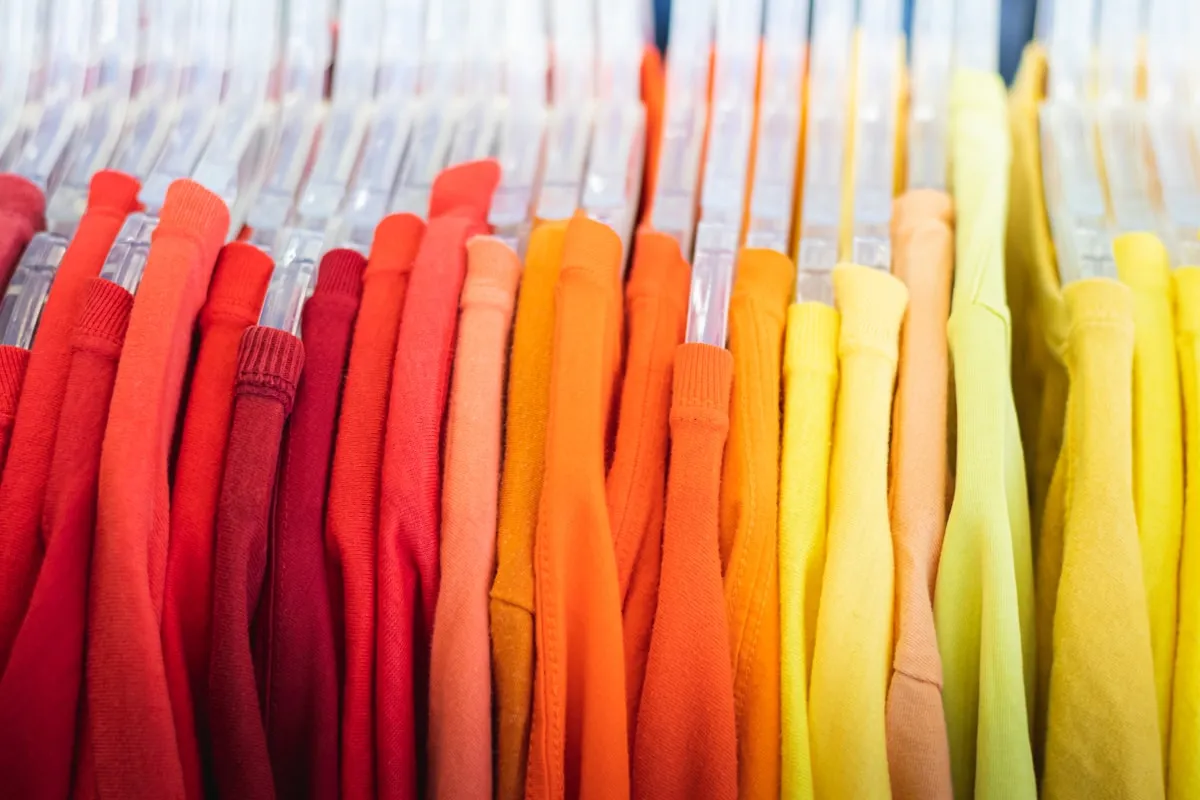
POD sellers are told they have no inventory and no overhead. The reality: design time, mockup subscriptions, ad spend, platform fees, and return rates quietly eat margins that looked healthy on paper. Here is how to track what your POD business actually costs and which designs are worth keeping.
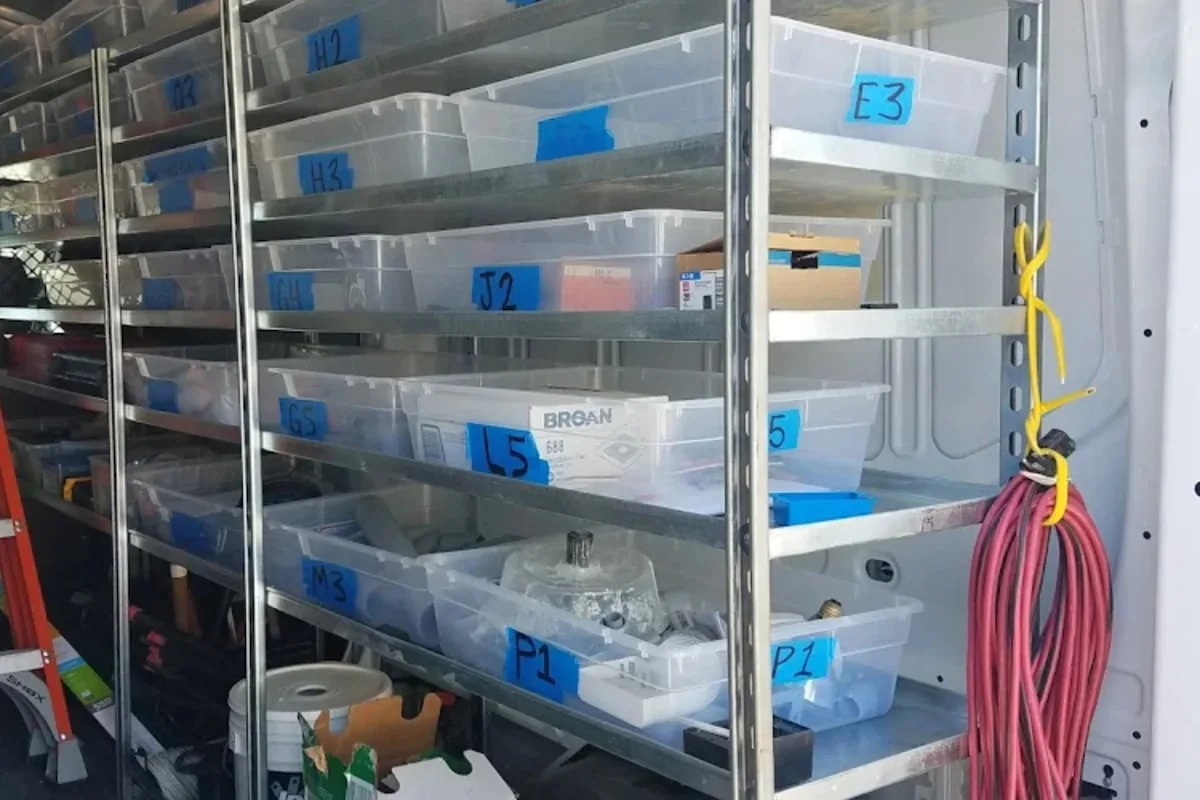
Most small sellers build their first SKU system on a Tuesday afternoon in a hurry and regret it for the next three years. Here is how to name, number, and organize your products so you can find anything in seconds — and how to fix the mess if you already built one.

A buyer's guide to the inventory apps Etsy sellers actually evaluate in 2026 — Ardent Seller, Craftybase, Inventora, Sortly, and Zoho Inventory — with the five questions that decide which one is right for your shop, a side-by-side comparison, and the case where the right answer is "none of these."
Your oven, kiln, mixer, or 3D printer loses value every year — and if you are not accounting for it, you are underpricing your products and overpaying on taxes. Learn how depreciation works and how to use it.
Two times materials is the most expensive pricing decision in the maker community. A worked, calculator-backed walk-through of the cost stack under your hourly rate — and the math that tells you what to actually charge.
Once you're selling, you'll need to track it
Tracking inventory, costs, and taxes across every batch and every channel is the operational reality once sales start. Ardent Seller is purpose-built for this.
Sublimated apparel, mugs, tumblers & blanks
Ready to start?
Track every batch, recipe, and sale from day one of your sublimation business. Free plan, no credit card.