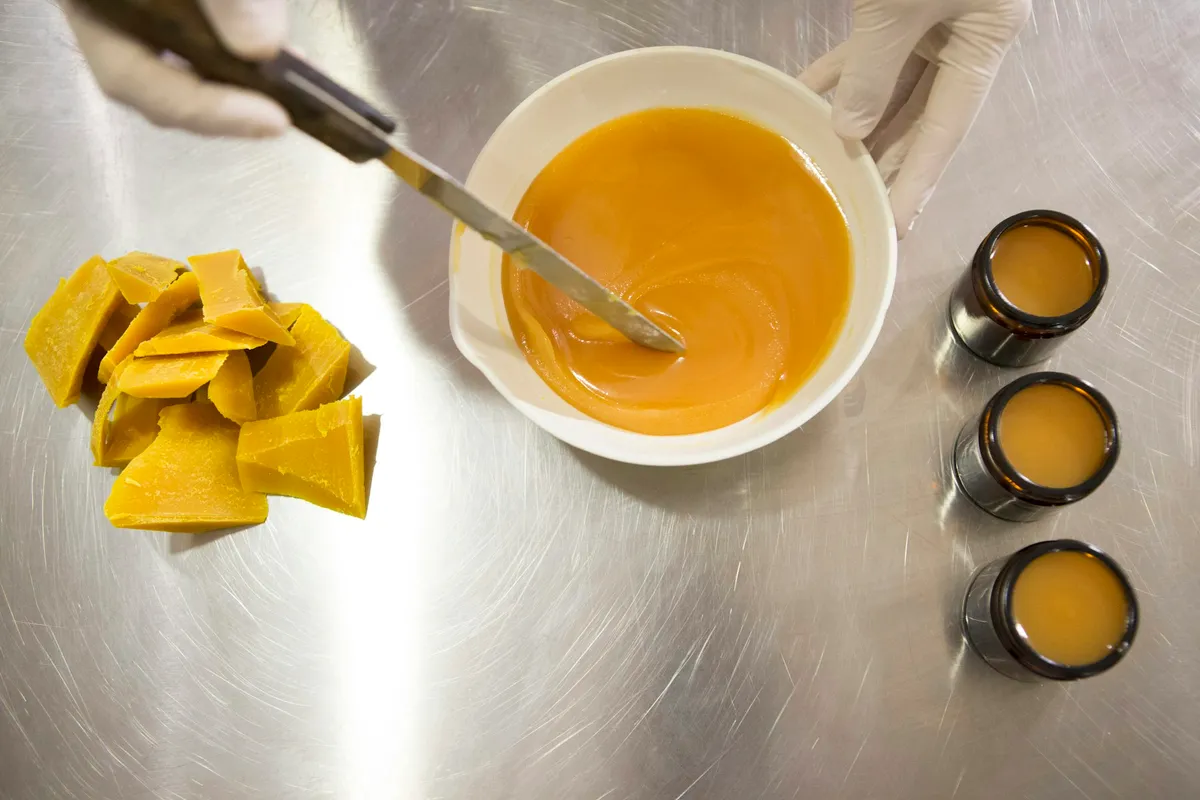
Wren makes whipped body butter at a kitchen table in Asheville, and in October she printed 400 labels for the holiday rush. They looked lovely: cream paper, a sprig of lavender, her name in a thin serif. Then a supplier ran out of sweet almond oil, so she cut it from 30% of the recipe to 18%, just below her 20% coconut oil, and made up the difference with jojoba. The butter came out silkier. The labels on the shelf still listed sweet almond oil second.
(Wren is a composite, not a real customer. Her recipe change is the kind this post is about.)
That label is now wrong. In the US, a cosmetic's ingredients go in descending order of predominance (opens in new tab), and coconut oil at 20% now outweighs almond at 18%. Nothing on the label moved, because nothing on the label knew. So the question that matters when you pick label software is this: does the tool know your recipe, or is it a nice place to type?
The best label software for cosmetics depends on how often your recipes change: a design tool (Canva, Avery, OnlineLabels) if they rarely do, and a recipe-aware tool (SoapMaker 3, INCIkit, Ardent Seller) that sorts the ingredient list from your recipe, heaviest first, if they do.
Quick picks:
- Canva (opens in new tab): the best-looking label and free templates; you type the ingredient list.
- Avery Design & Print Online (opens in new tab): free, no-account printing on Avery sheets.
- OnlineLabels Maestro (opens in new tab): free templates if you already buy OnlineLabels sheets.
- SoapMaker 3 (opens in new tab): a free, sorted ingredient list for soap makers on Windows.
- INCIkit (opens in new tab): a recipe-aware list and label drafts built around EU rules.
- Ardent Seller: a free plan that builds the label's ingredient list from the recipe you cost, with US, Great Britain, EU and Canada rules.
Each tool below was checked against the vendor's own pricing, feature and help pages on November 24, 2026.
The test: does the label software know your recipe?
A cosmetic label has three parts that come from the recipe, not from a design template:
- The order. 21 CFR 701.3(a) (opens in new tab) wants the most predominant ingredient first, which in practice means heaviest first. Change a percentage and the order may change with it.
- The groups. Under 701.3(f) you may list everything above 1% heaviest first, then everything at 1% or less in any order, then color additives in any order. Knowing which ingredient sits on which side of 1% takes the recipe.
- The names. 701.3(c) points first to names the FDA has set, then to the 1977 edition of the Cosmetic Ingredient Dictionary and other reference books. The "INCI names" on supplier spec sheets come from later editions of that dictionary. Shea butter goes on as Butyrospermum Parkii (Shea) Butter, not "shea".
Here is Wren's change as a recipe-aware tool would see it:
| Ingredient (INCI name) | October recipe | November recipe |
|---|---|---|
| Butyrospermum Parkii (Shea) Butter | 46% | 46% |
| Prunus Amygdalus Dulcis (Sweet Almond) Oil | 30% | 18% |
| Cocos Nucifera (Coconut) Oil | 20% | 20% |
| Simmondsia Chinensis (Jojoba) Seed Oil | none | 12% |
| Fragrance | 3% | 3% |
| Tocopherol | 1% | 1% |
The October list reads shea, almond, coconut, fragrance, tocopherol. The November list reads shea, coconut, almond, jojoba, fragrance, tocopherol. Tocopherol (vitamin E), at exactly 1%, falls in the 1%-or-less group either way. The swap that matters is almond and coconut.
A design tool hands you a text box and trusts you to notice. A recipe-aware tool reorders the list when you save the new recipe. Neither is wrong. The question is which job you want to keep doing by hand.
Cosmetic label software compared
| Tool | Price | Builds the list from a recipe | Orders by weight | INCI names | Market label rules built in | Prints a finished label |
|---|---|---|---|---|---|---|
| Canva | Free; Pro $18/mo or $144/yr | No | No (you type it) | You type them | None (you check) | Yes |
| Avery Design & Print Online | Free | No | No (you type it) | You type them | None (you check) | Yes, on Avery sheets |
| OnlineLabels Maestro | Free with a $9.95+ label order | No | No (you type it) | You type them | None (you check) | Yes, on OnlineLabels sheets |
| SoapMaker 3 (Windows only) | Free, $49 Lite, $99 Pro | Yes | Yes | Built in for base oils | Not stated by vendor | No, text export |
| INCIkit | €49/mo; €99/mo for list and label (both + VAT) | Yes | Yes | From a CosIng database | EU-based, with US, Canada, Great Britain and other versions | Draft PDF |
| Ardent Seller | Free plan; paid from $19/mo | Yes | Yes | You enter them, with suggestions | US, Great Britain, EU, Canada | Yes, PDF or print |
The six tools, pros and cons
Canva: the best-looking label, and a blank text box
For looks, Canva is hard to beat. Its labels page (opens in new tab) offers "hundreds of adjustable templates" with custom dimensions, and the template gallery (opens in new tab) includes cosmetic designs. You can print at home or order through Canva Print.
Pros:
- Free plan, and the best design tools here
- Custom sizes, so you can match any label sheet
- Bulk Create (opens in new tab) fills a design from a spreadsheet, with up to 150 data fields
Cons:
- The ingredient list is a text box. Canva has no idea what is in the jar
- Bulk Create needs Pro, Teams, Business or another eligible plan, not Canva Free
- Pro is $18 a month or $144 a year (opens in new tab) for one person (new monthly sign-ups get 50% off the first three months)
Best for: a small line whose recipes rarely change, where the label's look sells the product.
Avery Design & Print Online: free, and built for Avery sheets
Avery's free design tool (opens in new tab) is the shortest path from idea to a printed sheet. Avery says there is no charge to use it or store projects (opens in new tab), and you can skip the account (opens in new tab) and save projects to your computer instead.
Pros:
- Free, with no account required
- Templates line up with Avery's own sheets, such as 5163 (opens in new tab) (2" × 4", 10 per sheet) and round labels (opens in new tab) for jar lids
- Mail and data merge for variable text, plus a barcode generator
Cons:
- You type the ingredient list; nothing orders it for you
- Its design page carries a notice that downloads or the app may have issues, so it is worth saving projects to your computer
Best for: printing on Avery stock at no cost, with a list you keep up to date yourself.
OnlineLabels Maestro Label Designer: free with the labels
Maestro (opens in new tab) is OnlineLabels' designer, with "thousands of blank and pre-designed label templates", some of them cosmetic. It is "free with purchase" of $9.95 or more in labels, or a free trial that prints a watermark across your designs.
Pros:
- Large template library, including cosmetic designs
- Mail merge for variable data, plus generators for barcodes and QR codes
- Free when you already buy OnlineLabels sheets
Cons:
- You type the ingredient list. Its nutrition generator is for food Nutrition Facts, not cosmetics
- Built for OnlineLabels products, and access ends until you place another label order
- The trial watermarks every design
Best for: sellers who already buy OnlineLabels sheets and want templates sized to them.
SoapMaker 3: the list from your soap recipe, as text
SoapMaker 3 is long-running Windows formulation software for soap makers, and it does what the design tools cannot: its feature table (opens in new tab) ticks "Export ingredient list for labels" on the Free, Lite and Pro editions alike. The user manual (PDF) (opens in new tab) describes the export as a text file "sorted by quantity with the largest quantity ingredient first", with duplicate ingredients merged and INCI names built in for standard base oils. You type the INCI name for any additive yourself.
Pros:
- Free edition includes the ingredient-list export; Lite is $49 and Pro $99 (opens in new tab), with no recurring fee listed
- Orders by weight from the recipe you already formulate in
- Merges a repeated ingredient into one line
Cons:
- Windows only (opens in new tab); Mac users have to run Windows
- The output is a text file that "can then be edited in your favorite word processor", so the label itself is still a separate job
- The manual says nothing about the 1% group, colors last or fragrance wording
- The most recent release in its release notes (opens in new tab) is from April 2023
Best for: a soap maker on Windows who wants an accurate list for free and is happy to paste it into a label design.
INCIkit: recipe-aware, and built for the EU
INCIkit (opens in new tab) is a formulation app from a business in Bielefeld, Germany (INCIkit's legal notice (opens in new tab)). Its list is "automatically sorted by weight percentage", ingredients below 1% "may be listed in any order after those above 1%", and names come from "over 24,000 CosIng entries", the European Commission's ingredient database. Its label feature (opens in new tab) exports PDF drafts in versions for the EU, US, Canada, Great Britain and other markets.
Pros:
- Real recipe-to-list ordering, with name lookup from a large database
- Market versions of the label and roll-label sizes
- A free INCI generator page to try before buying
Cons:
- Priced in euros plus VAT (opens in new tab): Starter €49 a month, and the INCI declaration and label PDF need Professional at €99 a month
- Its own page says the "INCI and allergen reference is EU-based"; its US cosmetics page (opens in new tab) covers MoCRA paperwork rather than US label rules
- Its label page (opens in new tab) says PDFs "remain marked as drafts"
Best for: a maker selling into the EU or Great Britain who needs allergen checks more than US grouping.
Ardent Seller: the label comes from the batch you cost
Ardent Seller is inventory, recipe costing and production software for makers, and its cosmetic label reads the same recipe you cost and make batches from. Give each ingredient its INCI name once, and the label's list comes from the recipe: at a US location it follows 701.3(f)'s grouping (above 1% heaviest first, then 1% or less, then color additives), and by default every fragrance prints as one "Fragrance" line at their combined weight (a lip product lists them by INCI name until you choose a wording). The docs show how Ardent Seller builds the list. When Wren moves almond from 30% to 18%, the next label puts coconut ahead of it without her touching the text.
Pros:
- The cosmetic label is on every plan, including Free (50 transactions a month); monthly plans start at $19
- Download and Print wait when the list cannot be worked out, such as an ingredient with no INCI name or a recipe line that cannot be weighed, and the label screen names each one
- At a US location, Download and Print also wait for a phone number, email or website for reporting reactions (not needed for a bar sold only as soap). US law (opens in new tab) also accepts a US address, which the label already carries, but Ardent Seller still asks for one of the three.
- The label pulls in net quantity, a batch code from a production run, and your business name and address
- Four sizes: Avery 5163 (2" × 4", 10 per sheet), 4" × 6", a full letter sheet and a 2-inch round jar-lid label (12 per sheet); rule sets for the US, Great Britain, the EU and Canada
Cons:
- No logos, colors or fonts. It prints a plain, readable label, not a branded one
- You still enter INCI names. While the field is empty it suggests one for common materials (shea, sweet almond oil), but it does not check what you type
- You turn on the Soap & cosmetics module and set the product's type to Soap or cosmetic first, and the label is only as right as the recipe you saved
Best for: a maker who reformulates, sells more than a handful of products, and wants the label, the cost and the batch record to agree.
What about Stocksmith (formerly Craftybase)? It costs recipes and tracks batches, but it does not build a label ingredient (INCI) list. Its labels are QR inventory-tracking labels (opens in new tab), 2" × 3" or 4" × 6", with the product name, code and QR code. (Soapee, an old free favorite, was decommissioned in April 2024 (opens in new tab).)
How to choose cosmetic label software
Answer these in order:
- Do your recipes change more than once or twice a year? If not, a design tool and a careful afternoon will do: Canva for looks, Avery for free sheet printing, or OnlineLabels if you already buy their sheets. Re-check the order every time you touch a percentage. If they change more often, you want a recipe-aware tool, and the next three questions narrow it down.
- Do you sell into the EU or Great Britain? INCIkit was built for those rules. Ardent Seller also has GB and EU label rule sets, so compare the two on price and the rest of your workflow.
- Do you only make soap, on a Windows computer? SoapMaker 3's free edition exports a sorted list you can paste into any design.
- Do you want the label, the recipe cost and the batch code in one place? That is the case Ardent Seller was built for.
If you need a recipe-aware tool and more than one of questions 2 to 4 fits, pick by what else you need: SoapMaker 3 for a list on its own, INCIkit for EU allergen checks, Ardent Seller if you also want costs and batches. If none of them fits yet, try INCIkit's free generator page (opens in new tab) or Ardent Seller's free plan on one recipe.
A hybrid works too: design the front panel in Canva and print the ingredient panel as a separate back label from a recipe-aware tool, so the pretty half never has to change.
The label that changes when the recipe does
Wren's mistake was not carelessness. Her label simply had no way to hear about the almond oil. A design tool will always make the prettier label, and for a fixed recipe that may be all you need. Once the recipe moves, the label least likely to go stale is the one that reads the recipe.
If you would rather keep your recipes, costs and labels in one place, start free with Ardent Seller, add your INCI names, and print your first cosmetic label from the recipe you already make. Here is how Ardent Seller works for skincare makers.
Related reading
- How to Label Handmade Products — The federal rules behind every element on a cosmetic label, including when a bar of soap is not a cosmetic at all.
- Best Label Printer for Makers (2026) — Once the software is picked, the printer that will actually feed your label stock.
- Pricing Handmade Skincare — The same recipe that orders your label also prices the jar; here is the per-drop math.
- Stocksmith (Craftybase) vs. Ardent Seller — The full head-to-head if you are choosing a recipe and inventory tool, not just a label tool.
Free resources
Two free downloads that pair with a labeling setup:
- Craft Seller Startup Checklist — Puts cosmetic labeling next to the insurance, permits and pricing jobs that land in the same first months.
- Soap Batch & Cure Log — A paper home for the batch codes your labels print, so a question about one jar traces back to one pour.
This article is provided for educational purposes only and does not constitute legal, regulatory, or health advice. Cosmetic labeling requirements, ingredient naming and allergen rules vary by country and product, and change frequently, and software prices and features change too. Check the vendors' current pages, and consult the FDA, your national regulator, or a qualified cosmetic regulatory consultant before relying on a label for sale.