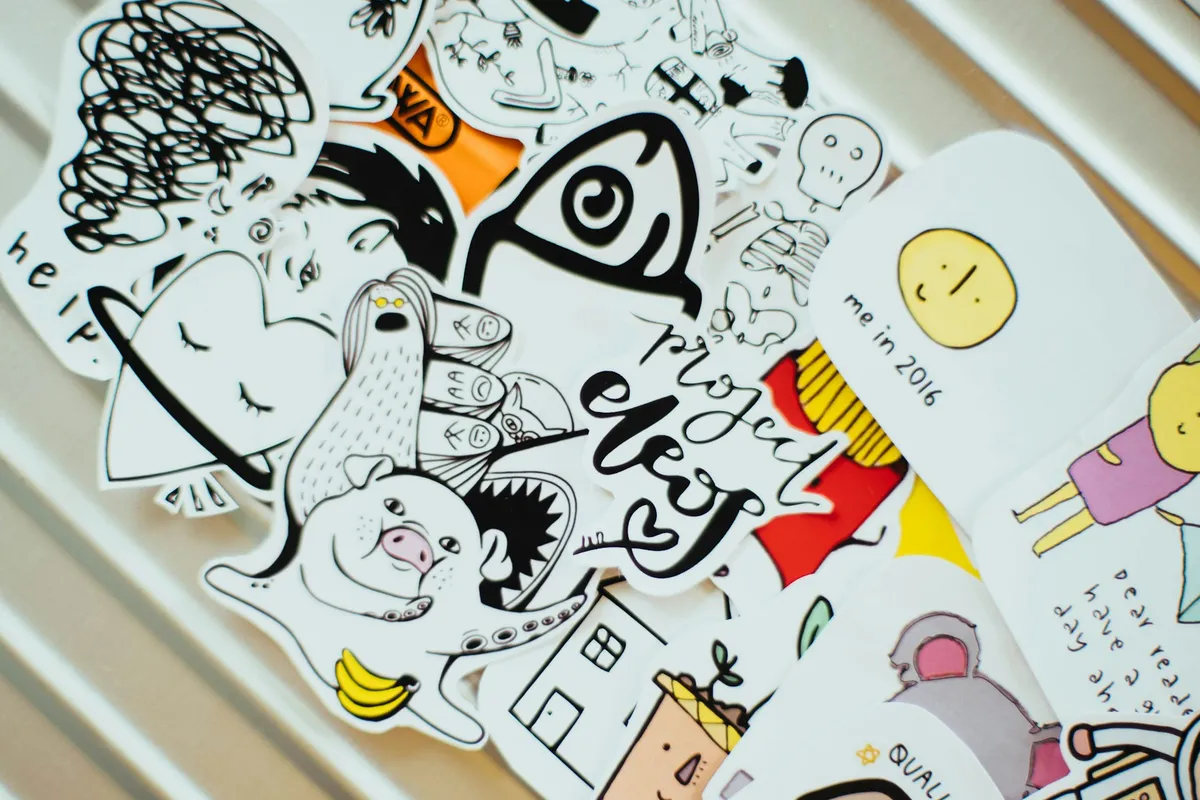
How many 2-inch stickers does a cutting machine get out of one sheet of printed sticker paper?
It sounds like a trivia question. It is actually the most important number in a home sticker business, and you will not find it on any cutting machine's box. The box tells you the cut width, the top speed and how many materials the machine handles. A sticker shop needs to know how much of each printed sheet the machine will actually cut, because you have already paid for the whole sheet. Paper, ink and laminate are bought by the sheet. Stickers are sold one at a time. The machine sits in the middle and decides the ratio.
On a Cricut and letter paper, the answer is at most 12, for 2-inch stickers in a straight grid. The section on sheet yield shows the arithmetic, and why that number moves your cost per sticker more than the machine's price does.
The short version: for a sticker business, the best cutting machine is the one that cuts the most of each printed sheet, finds the print reliably, and fits how you work. If you print on letter paper and cut sticker paper and vinyl, that is the Cricut Explore 5 ($199): Cricut lists it with the same print-and-cut area as the $349 Maker 5, more than twice the Joy Xtra's top speed, and room to move up to tabloid sheets. Pick the Silhouette CAMEO 5 Alpha ($279.99, or about $380 with the Business Edition that adds automatic nesting) if you want desktop software you buy once rather than subscribe to. Pick the Brother ScanNCut SDX125 ($449.99) if your art starts on paper. (List prices on each maker's US site, October 16, 2026.) For your own situation, jump to which machine for which shop.
If you are still deciding whether to cut stickers at home at all, rather than ordering from a sticker printer or using print-on-demand, the guide to how to start a sticker business compares those three production methods. This post starts after that decision, once home print-and-cut is the plan and the question is which machine.
What a sticker shop needs from a cutting machine
A hobby cutter is judged by what it can make. A business cutter is judged by what it does to the cost of every sticker. Four things decide that, and only one of them is on the front of the box.
How much of the sheet it will cut. A print-and-cut machine prints marks around your design, then reads them with an optical sensor to find where the print landed. Those marks, and the margin around them, take paper you paid for. Cricut publishes exactly how much is left: its help article on how large you can Print Then Cut (opens in new tab) lists the Explore and Maker series at up to 9.94 inches tall and 7.44 inches wide on a letter-size page. Cricut also warns that the area "is not a full rectangle or square," so a design using the full height may not get the full width.
How it finds the print. A cut that lands a sixteenth of an inch off leaves a white sliver on one edge of every sticker on the sheet. That is a reject, and it costs you the paper, the ink, the laminate and the minutes. Machines find the print in different ways: Cricut and Silhouette read printed marks, and Brother's ScanNCut scans the sheet itself.
What its software needs. Every machine here is driven by its maker's software, and the software decides more of your day than the hardware does. Cricut's Maker 5 specifications (opens in new tab) say an internet connection is required to "upload images and use Print then Cut." Silhouette Studio is desktop software with paid one-time upgrades (opens in new tab) and "no subscriptions required."
What it locks you into. Most of these machines cut any printable sticker paper you feed them. One, Cricut's new StickerPix, uses only its own ink and sheets. That is a cost decision dressed up as a feature.
Sticker cutting machines compared side by side
Every figure below comes from the manufacturer's own product page, comparison chart or help center, read on October 16, 2026. Prices are list prices on the maker's US site and change often.
| Machine | Cuttable area on a letter page | Largest print-and-cut page | How it finds the print | Widest material | Listed price | Listed top cut speed |
|---|---|---|---|---|---|---|
| Cricut Joy Xtra | Up to 9.94 x 7.44 in | Letter or A4 | Printed sensor marks | 8.5 in | $179 | 5.6 in/s |
| Cricut Explore 5 | Up to 9.94 x 7.44 in | 11 x 17 in (tabloid) or A3 | Printed sensor marks | 11.7 in | $199 | 14.1 in/s |
| Cricut Maker 5 | Up to 9.94 x 7.44 in | 11 x 17 in (tabloid) or A3 | Printed sensor marks | 12 in | $349 | 14.1 in/s |
| Cricut Venture | Up to 9.94 x 7.44 in | 24 x 28 in | Printed sensor marks | 24 in | $499 | 25.4 in/s |
| Silhouette CAMEO 5 Alpha | Not published; you can move the marks | Set by your printer and mark position | Four-point printed registration marks | 12 in | $279.99 | 300 mm/s (about 11.8 in/s) |
| Silhouette CAMEO 5 Alpha Plus | Not published; you can move the marks | Set by your printer and mark position | Four-point printed registration marks | 15 in | $399.99 | 300 mm/s (about 11.8 in/s) |
| Brother ScanNCut SDX125 | No marks printed; not published | Not published | Scans the printed sheet | 11.7 in scanning width | $449.99 | Not published |
| Cricut StickerPix Print + Cut | Uses 4 x 7 in Cricut sheets only | 4 x 7 in | Prints and cuts in one machine | 4 x 7 in Cricut sheets | from $299 (Essential Bundle) | Not published |
Sources: Cricut's machine comparison chart (opens in new tab) and Print Then Cut size table (opens in new tab); Silhouette's CAMEO 5 Alpha (opens in new tab) and CAMEO 5 Alpha Plus (opens in new tab) pages; Brother's SDX125 page (opens in new tab); Cricut's StickerPix overview (opens in new tab) and StickerPix Print + Cut shop page (opens in new tab).
Cricut Explore 5 and Maker 5
These are Cricut's two full-size machines, and for stickers the decision between them is easier than it looks. Cricut's Print Then Cut table (opens in new tab) lists the Explore series and the Maker series with identical limits on every page size: 9.94 x 7.44 inches on letter, 12.94 x 7.44 on legal, 15.94 x 9.94 on tabloid. The comparison chart (opens in new tab) gives both machines a top cut speed of 14.1 inches per second.
Good at: a clear, published answer to "how much of my sheet will it cut," and a page-size range that grows with you. Moving from letter to tabloid paper roughly doubles the cuttable area per sheet, if your printer can feed 11 x 17. Design Space also tells you before you print when a design is too big for the page, and Cricut's own tip for counting stickers per sheet is a good habit: fill a page with copies on the Prepare screen and see what fits.
Watch for: the internet requirement. Print Then Cut needs a connection, so a shop that cuts the night before a market on spotty Wi-Fi should test that before relying on it. And the $150 between the two machines buys reach into materials such as fabric and softwood, which Cricut's chart lists for the Maker 5 and not the Explore 5. If your shop cuts sticker paper and vinyl, the Explore 5 is the better buy.
Cricut Joy Xtra
At $179, the Joy Xtra is listed in Cricut's Print Then Cut table (opens in new tab) with the same 9.94 x 7.44-inch area on a letter page as the bigger machines. Cricut's comparison chart (opens in new tab) shows it takes material only 8.5 inches wide and lists a top speed of 5.6 inches per second, less than half the Explore's.
Good at: a first machine for a seller testing whether stickers sell at all, or a second machine dedicated to one product line. It takes up very little space.
Watch for: its letter and A4 limit. It cannot grow into tabloid sheets, so a shop that takes off will replace it rather than upgrade its paper.
Cricut Venture
The Venture is Cricut's wide-format machine: 24 inches wide, a listed 25.4 inches per second and $499 on Cricut's comparison chart (opens in new tab). Its Print Then Cut table (opens in new tab) runs all the way to a 24 x 28-inch page, and includes 13 x 19-inch paper at up to 17.94 x 11.94 inches of cuttable area.
Good at: big sheets, which is where the yield math gets interesting. More area per sheet means fewer loads, fewer mark reads and fewer sheet margins per hundred stickers.
Watch for: you only get that benefit with a printer that prints that large, which is a second purchase. Cricut's chart also lists the Venture for Mac and Windows only, with no phone or tablet app.
Silhouette CAMEO 5 Alpha and Alpha Plus
Silhouette's current machines, the CAMEO 5 Alpha (opens in new tab) at $279.99 and the Alpha Plus (opens in new tab) at $399.99, moved from three registration marks to four. Silhouette says the four-point system corrects alignment vertically and horizontally, "ensuring clean, precise cuts—even when working with slightly distorted prints." The Plus takes material up to 15 inches wide where the standard Alpha takes 12. Silhouette's marketing quotes a 400 mm/s top speed, but both machines' spec tables list cutting at up to 300 mm/s, with 400 mm/s as the sketch-pen speed.
Good at: control and ownership. Silhouette does not publish a fixed print-area table. Instead, its own Print & Cut tutorial (opens in new tab) notes that the default marks "will give you a smaller area than the print paper" and that you can gain room by adjusting their position, as long as every mark still prints inside your printer's border. The software is a desktop program you own, with paid editions sold as one-time upgrades (opens in new tab); the Business Edition is $99.99 list ($79.99 on sale when checked). Silhouette's software page (opens in new tab) says the Business Edition adds "multi-cutter support, SVG import/export, and automatic nesting." Multi-cutter support matters the day you buy a second machine.
Watch for: the extra software purchase. Importing SVG files, a common format for cut-ready designs, needs a paid edition: Silhouette's Studio page (opens in new tab) lists the Designer Edition upgrade at $49.99 list. The CAMEO 5 Alpha page (opens in new tab) says the machine needs Silhouette Studio 5.0.402 or newer and lists Windows 10 or macOS 13 as the minimum. Silhouette's tutorial is explicit that Print & Cut runs on a cutting mat, so budget for replacement mats.
Brother ScanNCut SDX125
The ScanNCut SDX125 (opens in new tab), $449.99, works differently: a built-in 600 DPI scanner reads the sheet itself. Brother's Direct Cut instructions (opens in new tab) say "a printed image (paper/sticker), stamped paper or an original hand-drawn illustration can be scanned, and its outline can be cut out." No registration marks are printed, so none of the sheet is spent on them.
Good at: art that starts on paper. A stamped design, a hand-inked illustration or a sheet printed somewhere else entirely can go straight under the scanner. Brother lists its warranty on the product page: one year on parts and labor, two years on electronic components and circuit boards.
Watch for: Brother's own limits on what Direct Cut (opens in new tab) can see. It asks for "patterns that are clearly drawn, with no gradation, fading, blurriness," and warns that edges the same brightness as their background cannot be detected in grayscale mode. Soft watercolor edges and photographic stickers are exactly that kind of art. Test your own designs before you buy. Brother's product page (opens in new tab) lists the machine as stand-alone, able to "create a project right out of the box without using a computer or mobile device," but its disclaimers also list "Internet connection required," and the page describes a connection as the way to work in Brother's CanvasWorkspace software and send cut files wirelessly. If you plan to cut where the Wi-Fi is unreliable, confirm which features need the connection before you buy.
Cricut StickerPix Print + Cut
Cricut's sticker-specific machine is the one most tempting to a new sticker seller, and the one least suited to a sticker business. StickerPix Print + Cut is a dye-sublimation printer and a cutter in one box, starting at $299 as an Essential Bundle on Cricut's shop page (opens in new tab). Cricut's StickerPix overview (opens in new tab) says it laminates as it prints, making stickers "water-, scratch-, and fade- resistant."
Good at: no separate printer, no laminate step, and no registration to calibrate. For a booth that prints custom photo stickers on the spot, that convenience is real.
Watch for: three limits on Cricut's own overview page (opens in new tab). It prints on 4 x 7-inch sticker sheets. It kiss-cuts only, meaning it cuts the sticker but leaves the backing whole, so it cannot make true die-cut stickers. And its ink and materials are Cricut StickerPix only, so the cost of every sheet you will ever print is set by one supplier.
Sheet yield: the number that moves your cost per sticker
Here is the arithmetic behind the opening question. Take Cricut's published letter-page limit of 9.94 x 7.44 inches and 2-inch stickers with a quarter inch between them. In a straight grid, three fit across (6.5 inches) and four fit down (8.75 inches): 12 stickers. A fifth row would need at least 10 inches, just past the 9.94-inch limit. Round stickers in offset rows may squeeze in one more. Cricut also says its area is not a full rectangle, so the real count can be lower; confirm yours on the Prepare screen.
On an 11 x 17 tabloid page, the 15.94 x 9.94-inch limit holds 4 across and 7 down: 28 stickers in a grid, or 14 for each letter-size half of the sheet. That is the real yield difference among Cricut's machines. On letter paper the Joy Xtra, Explore 5, Maker 5 and Venture tie at 12. What separates them is which bigger pages each can grow into. Among the other makers, Silhouette lets you move its marks and Brother prints none, so neither has a published number to compare. The only way to compare them is to lay out your own sheet in each maker's free software.
Now put a price on it. The figures below are illustrative, so swap in your own. Say your sticker paper, ink and laminate cost about $1.20 per letter-size sheet, so $2.40 for a tabloid sheet.
| Stickers per letter-size area | Example | Materials per sticker | Materials for 15,000 stickers |
|---|---|---|---|
| 10 | An awkward shape that packs badly | $0.12 | $1,800 |
| 12 | Letter page at Cricut's published limit | $0.10 | $1,500 |
| 14 | Half of a tabloid page at Cricut's published limit (28 per full sheet) | about $0.086 | about $1,290 |
Now spread the machine across the same stickers. A $349 Maker 5 over 15,000 stickers is about 2.3 cents each in year one, and under a cent over three years at that volume. The $150 price gap between the Explore 5 and the Maker 5 works out to about a cent per sticker in year one. That is less than the 1.4 cents a sticker that moving from letter to tabloid sheets saves in this example. The number on the box moves your cost per sticker less than the number of stickers on each sheet.
Two things follow.
- Count your real yield before you compare machines. Lay out a full sheet of your best-selling size in each maker's software. Both Cricut Design Space and Silhouette Studio are free to download, so you can do this before buying.
- Count your rejects for a month. A misregistered sheet is twelve stickers' worth of materials in the bin, not one. If misregistration is a weekly event on your current machine, that costs more than the price gap to a better one.
Labor is usually one of the biggest costs in a handmade sticker, and the post on how to price stickers beyond the 3x material rule works through it layer by layer. But labor depends on how you work. Materials per sticker depends on the machine, and you can measure it before you buy. To try the arithmetic on a single sticker, the Product Pricing Calculator (Live) does it in your browser.
Which cutting machine for which sticker shop
- Testing whether stickers sell, on a tight budget: the Cricut Joy Xtra. Same letter-page cut area as its big siblings, at $179, though at less than half their top speed.
- A growing shop printing letter sheets now and tabloid later: the Cricut Explore 5. Same Print Then Cut area and listed speed as the Maker 5, for $150 less.
- You want desktop software you own, automatic nesting, and room for a second cutter: the Silhouette CAMEO 5 Alpha with the Business Edition upgrade, about $380 together at list prices. Choose the Alpha Plus if you print on paper wider than 12 inches.
- Big sheets and a wide-format printer to feed them: the Cricut Venture, plus the printer.
- Hand-drawn, stamped or bold-outline art: the Brother ScanNCut SDX125, after testing your own designs on Direct Cut.
- On-the-spot custom stickers at events, where convenience beats cost per sheet: the StickerPix Print + Cut, knowing its sheets come only from Cricut.
Whichever you choose, the machine is a long-lived tool, and its cost belongs in your prices for as long as you use it. Equipment depreciation for small makers explains how to spread it over its working life instead of absorbing it in one month.
Once you know your yield, put it to work. With Ardent Seller for sticker makers, you can set up a sticker sheet as a product made from its inputs: paper, laminate and ink by the sheet. Then each production run draws those materials from stock and costs the sheet as you make it. The cutter can go in as a piece of equipment, with its blade changes logged as maintenance and its price spread over the years you use it. Start a free Ardent Seller account and set up your best-selling sheet first.
Related reading
- How to Price Stickers Beyond the 3x Rule: The six-layer cost stack for a die-cut sticker, where materials per sticker from this post become one line among labor, rejects and fees.
- Best Label Printer for Handmade Sellers: If your stickers are really product labels, this guide covers the other route: a printer built for labels.
- Equipment Depreciation for Makers: How to spread a cutter's price across the years you use it, in your prices and on your taxes.
Free resources
Two free tools for turning sheet yield into a price:
- Product Pricing Calculator (Live): Enter your sheet's materials divided by your real stickers per sheet, add labor and fees, and see what a sticker has to sell for.
- Maker Hourly-Rate Pricing Calculator: Puts a number on the weeding and peeling minutes that sit on top of the materials figure this post works out.
This article is provided for educational purposes only and does not constitute financial or business advice. Prices, specifications and software terms are as published by each manufacturer on the date noted and change often; cost examples are illustrative and will vary with your materials, designs and volume. Test your own artwork and materials on any machine before relying on it, and consult a qualified accountant or small-business advisor before making purchasing decisions based on this content.